
3DS Exemptions
3D Secure (3DS) exemptions allow merchants to request that certain payments are exempted from regulatory requirements for Strong Customer Authentication (SCA), which is the case under PSD2 regulations. This helps reduce checkout friction and improve conversion rates - especially for returning customers or low-risk transactions. While exemptions can significantly improve conversion rates, they also come with trade-offs. Exempted transactions do not carry 3DS liability shift, meaning that by using exemptions you accept responsibility for potential fraud chargebacks. Primer supports Transaction Risk Analysis (TRA) exemptions in the 3DS authentication flow. This ensures that, if an exemption is not accepted by the cardholder’s bank, the payment continues seamlessly with a standard 3DS authentication - without needing a second authorization request.Exemptions are only available when using Primer 3DS. 3DS exemptions managed by the processor are not supported.
How Exemptions Work
When a 3DS exemption is requested:- The exemption request is included during the 3DS authentication flow.
- The issuer reviews the transaction data and decides whether to accept or reject the exemption.
- If accepted, no challenge is presented and the 3DS result will show
SKIPPEDwith a reason code ofEXEMPTION_ACCEPTED. - If rejected, the request automatically reverts to a standard 3DS flow without affecting the checkout flow.
- If accepted, no challenge is presented and the 3DS result will show
- The result of the exemption is then included in the processor’s authorization request.
Here is a summary of the outcomes of the 3DS Exemption request
Implementing Exemptions
Before you start
Before adding 3DS Exemptions to your payment flow,- Make sure 3DS via Primer is enabled on your account
- Ask your processor(s) and/or acquirer(s) to enable 3DS exemptions on your MIDs
Processor Support
Currently, 3DS exemptions are supported for the following processors:Best Practices
- Stay within thresholds: The TRA limit depends on merchant and processor fraud performance - typically €100/£85, €250/£220, or €500/£440. The standard is €250, but we advise confirming the applicable amount with your processor(s) before activating this option.
- Apply fraud checks prior to requesting an exemption: TRA exemptions are designed to be used in combination with additional fraud analysis. Before requesting an exemption, ensure the transaction has passed risk checks, either via your own fraud analysis or via a pre-authorization fraud check.
- Monitor results: Compare authorization success between exempted and non-exempted payments.
Request an Exemption
You can request a 3DS exemption in two ways:Exemptions via the Perform 3DS action
- Add a Perform 3DS action to your Workflow.
- Under 3DS options, select Request TRA exemption.
- Save and publish your Workflow.
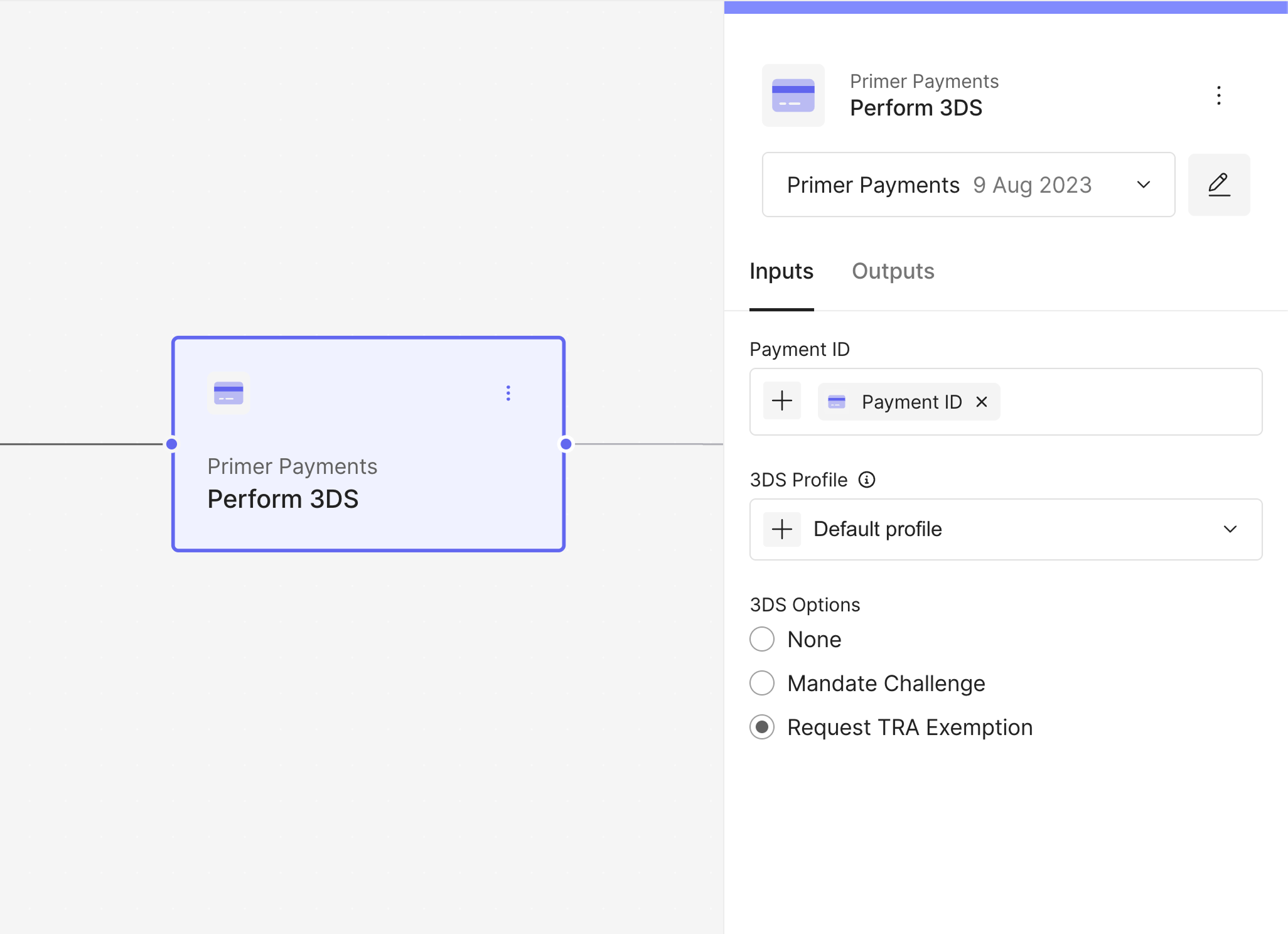
Perform 3DS - Request Exemption Option
Note: You can only apply one 3DS option per transaction (e.g., Mandate
Challenge or Request TRA Exemption).
- Transaction amount under €250
- Returning customers
- Low fraud risk flagged by an internal fraud detection system
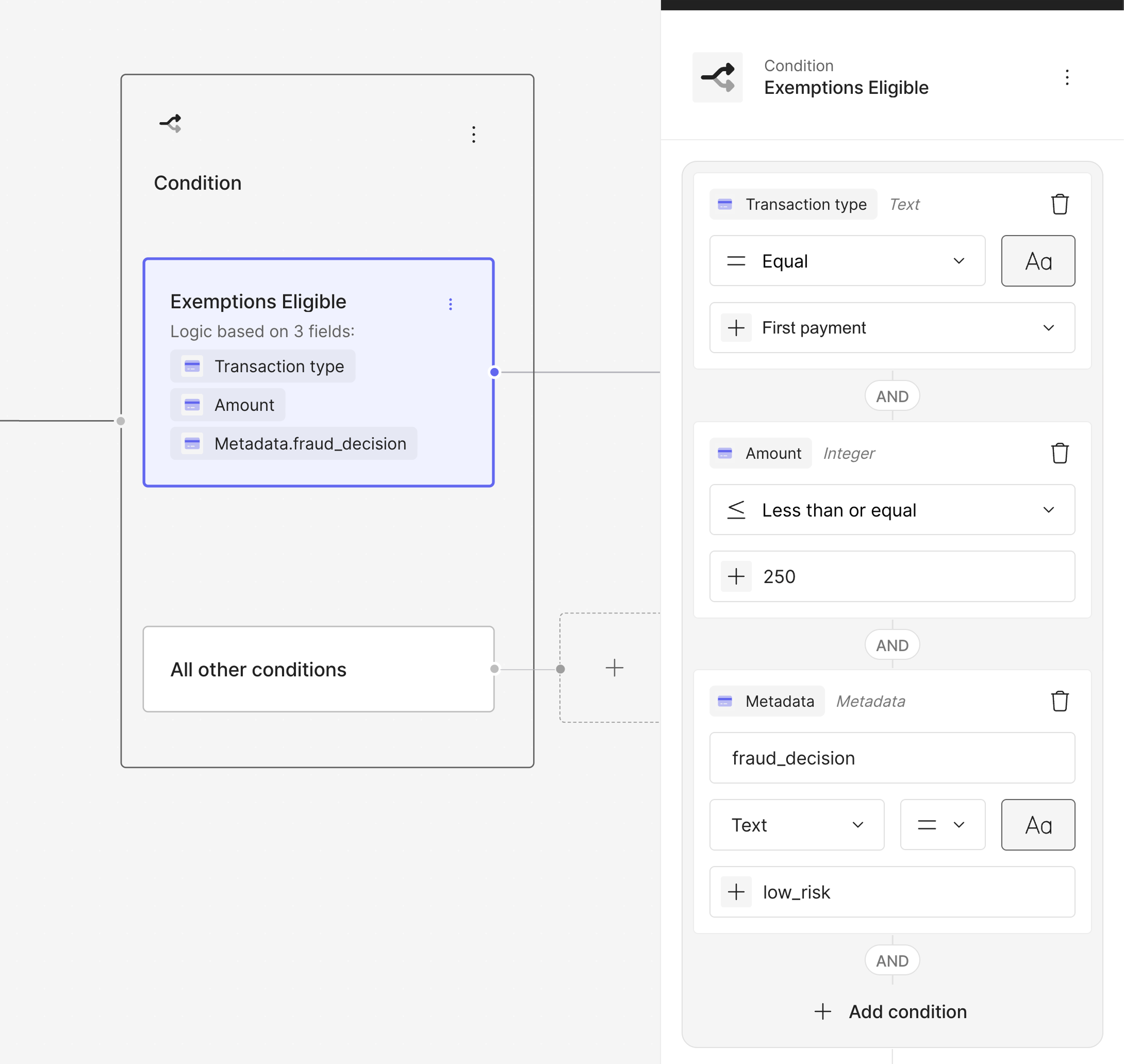
Condition Block for Exemptions
Exemptions via Fraud Provider recommendation in the Authorize action
You can also allow your Fraud Provider to decide whether an exemption should be applied or not via pre-authorization fraud checks: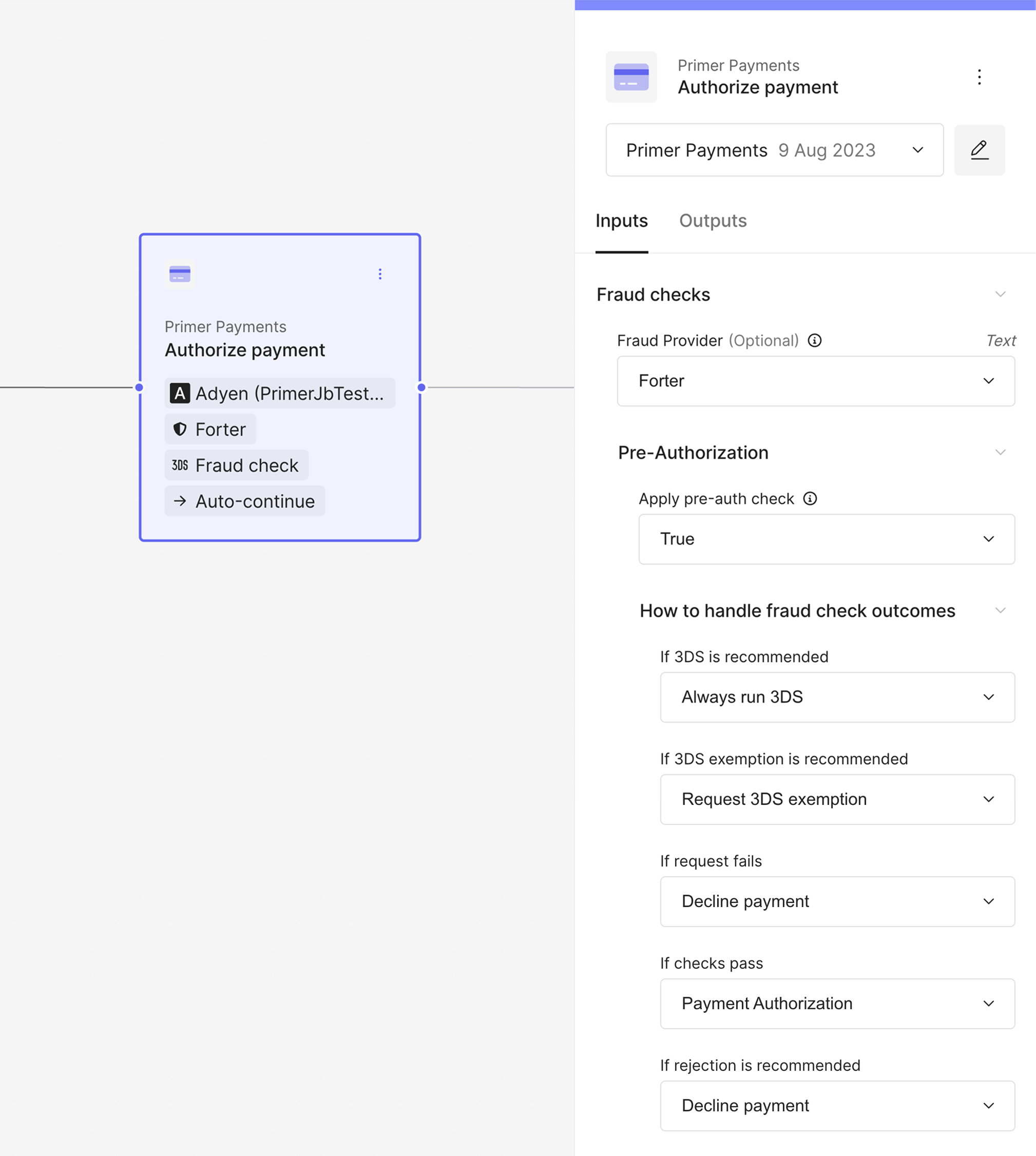
Condition Block for Mandate Challenge
You can view more details on configuring the pre-authorization fraud checks in
our configuration
guide.
Viewing Exemptions
You can view exemption outcomes in both your Dashboard and via API responses.In the Dashboard
Exemption details are visible in two key areas:-
Payment Details View
Under 3DS authentication, the 3DS attempt will show as
Skipped: Exemption request accepted
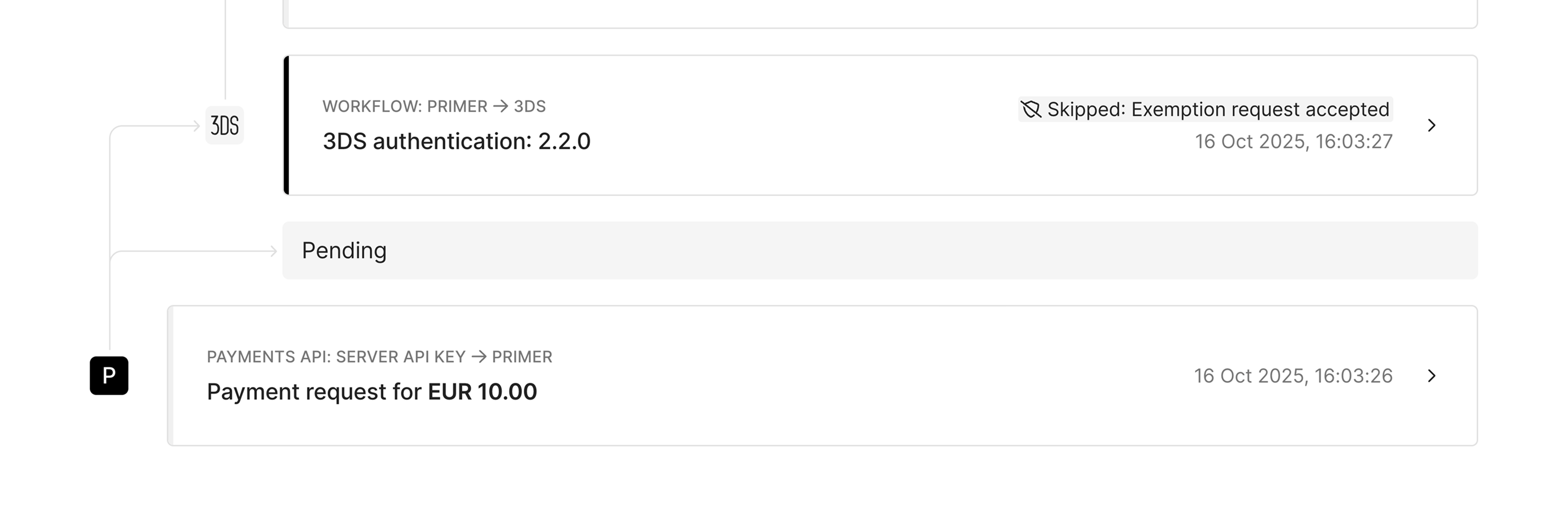
Payment Timeline - Exemption View
Exempted flag will also be present within the 3DS details.
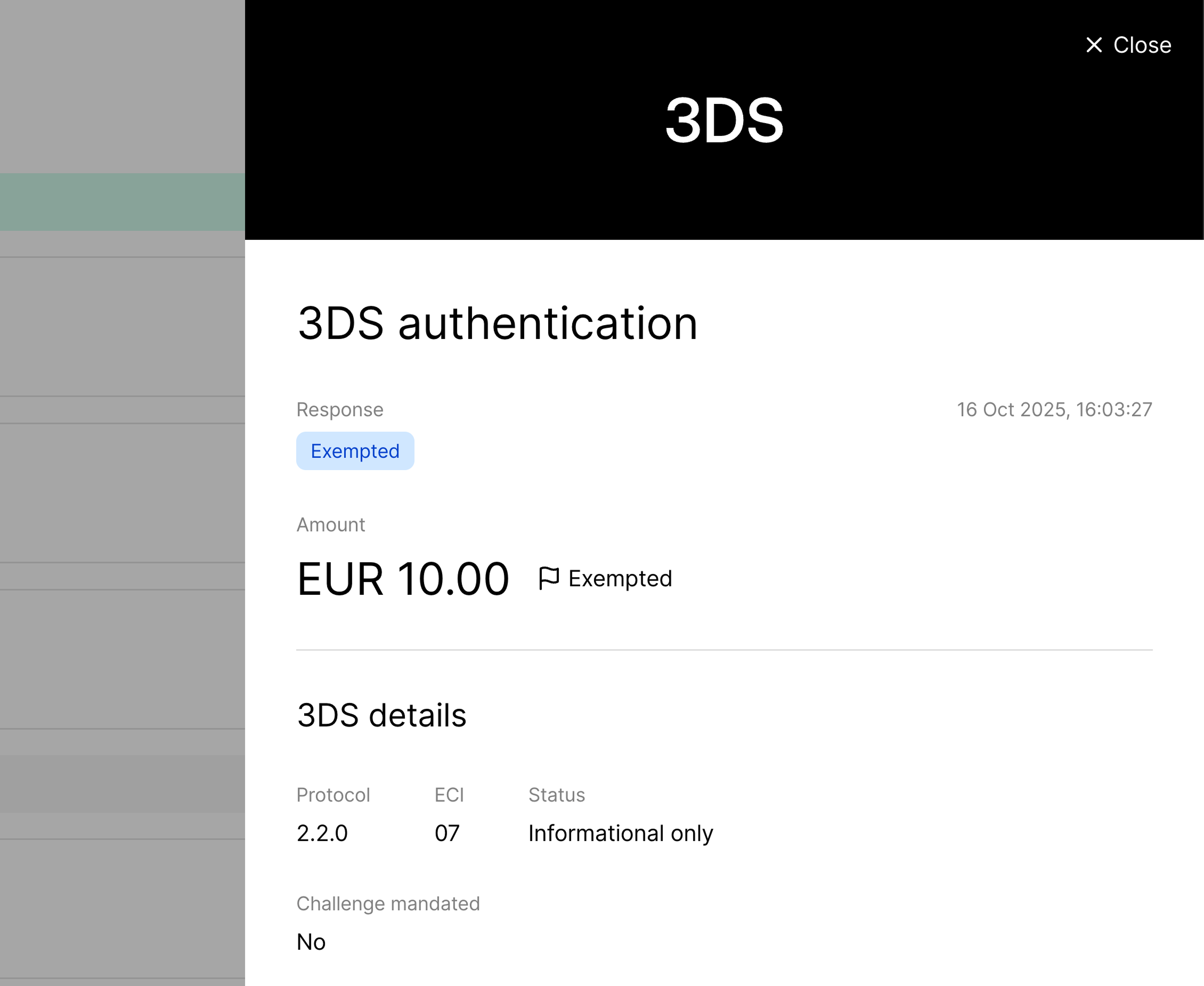
3DS Details - Exempted Flag
-
Workflow Run Timeline
Displays events such as
TRA exemption requestedandTRA exemption acceptedorTRA exemption rejectedalong with output details.
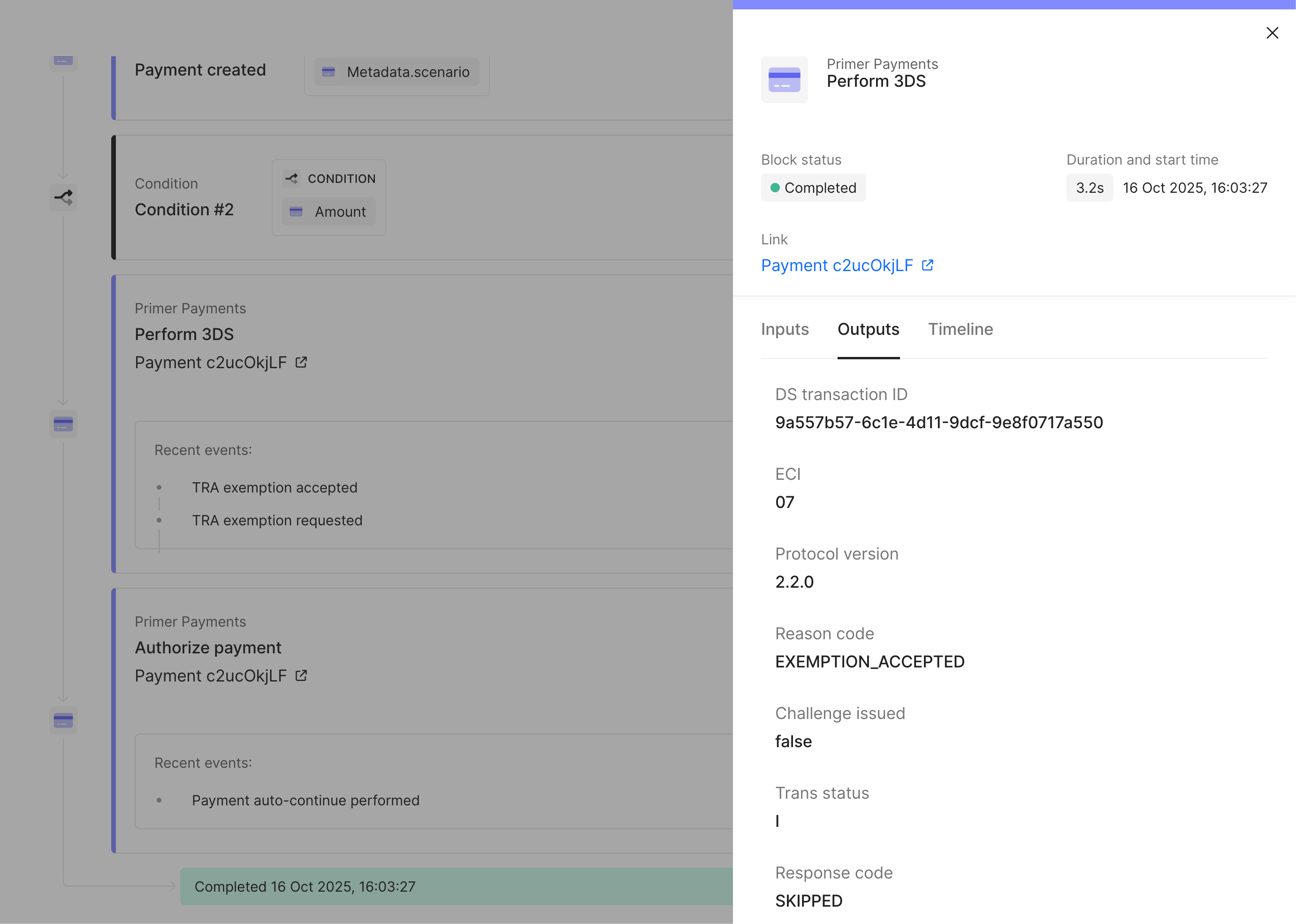
Workflow View - Exemption Accepted
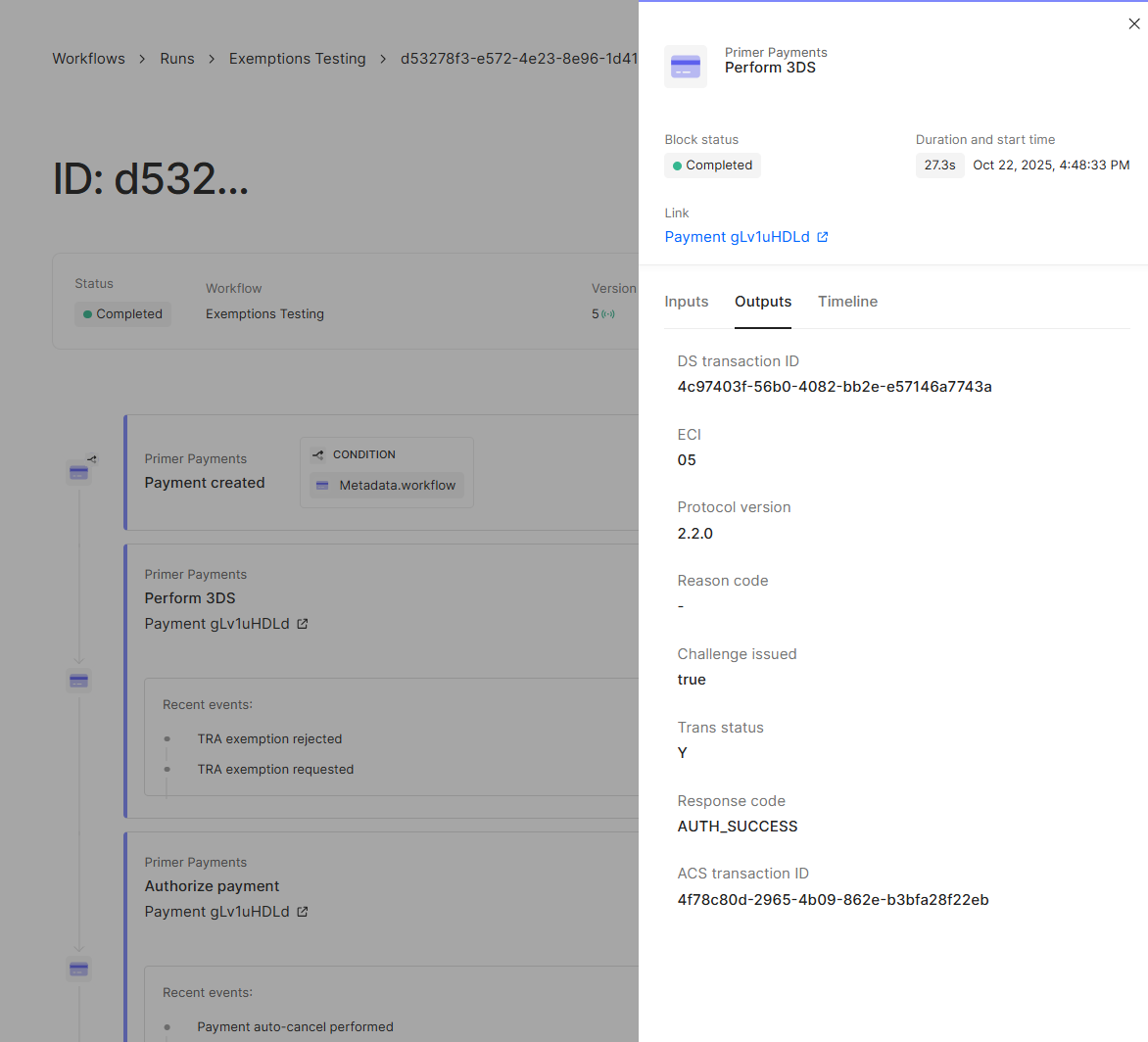
Workflow View - Exemption Rejected
In the API
When a 3DS exemption is requested and accepted, the API response will include the objectthreeDSecureAuthentication under the 3DS authentication object:
Tip: You can use the
reasonCode to filter and report on exemption
performance across your payments - for example, by tracking the proportion of
transactions with EXEMPTION_ACCEPTED against total 3DS attempts.Search & Observability
Transactions that have had a 3DS exemption applied can be filtered for using the 3DS Reason Code filter option.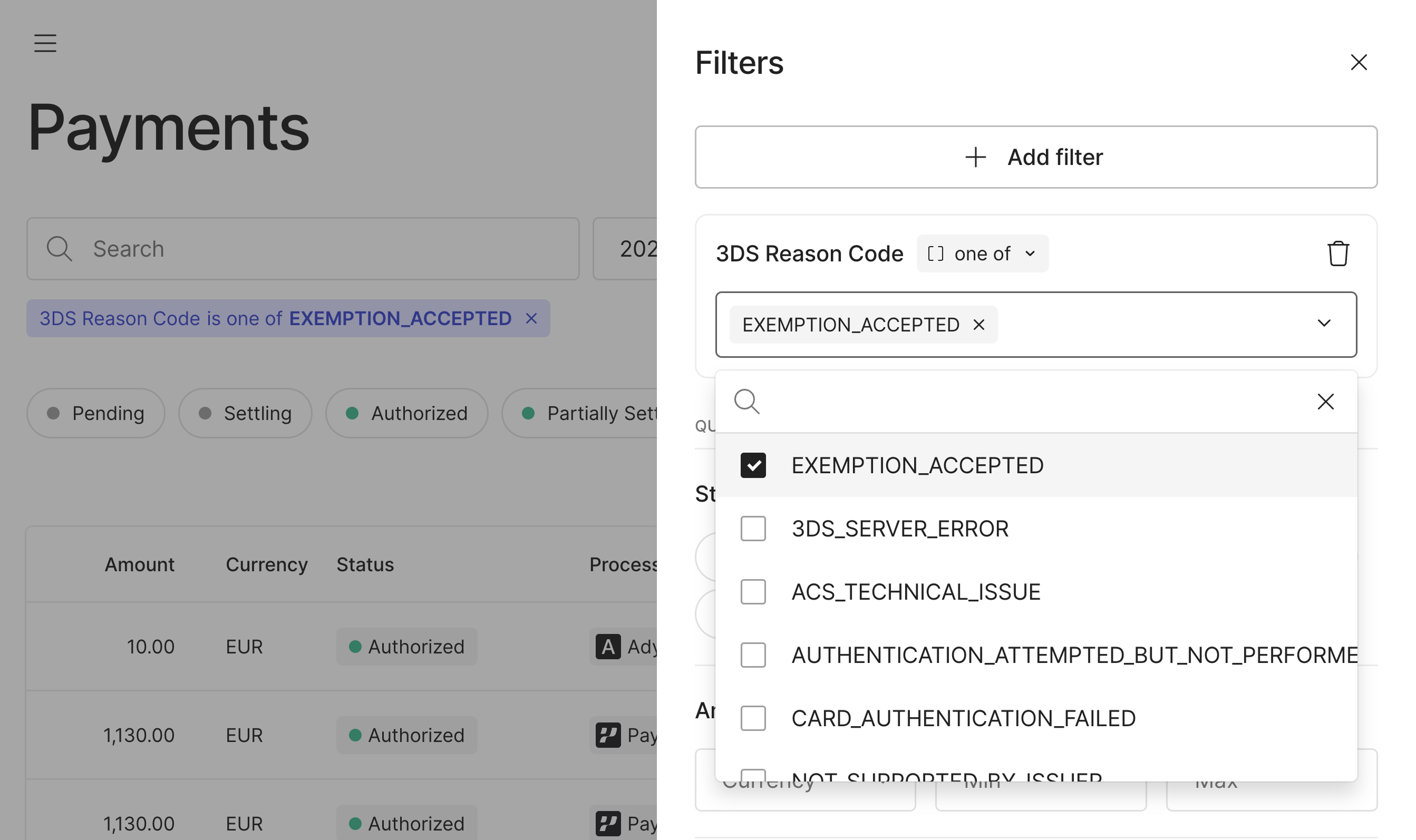
Filtering for Exemptions
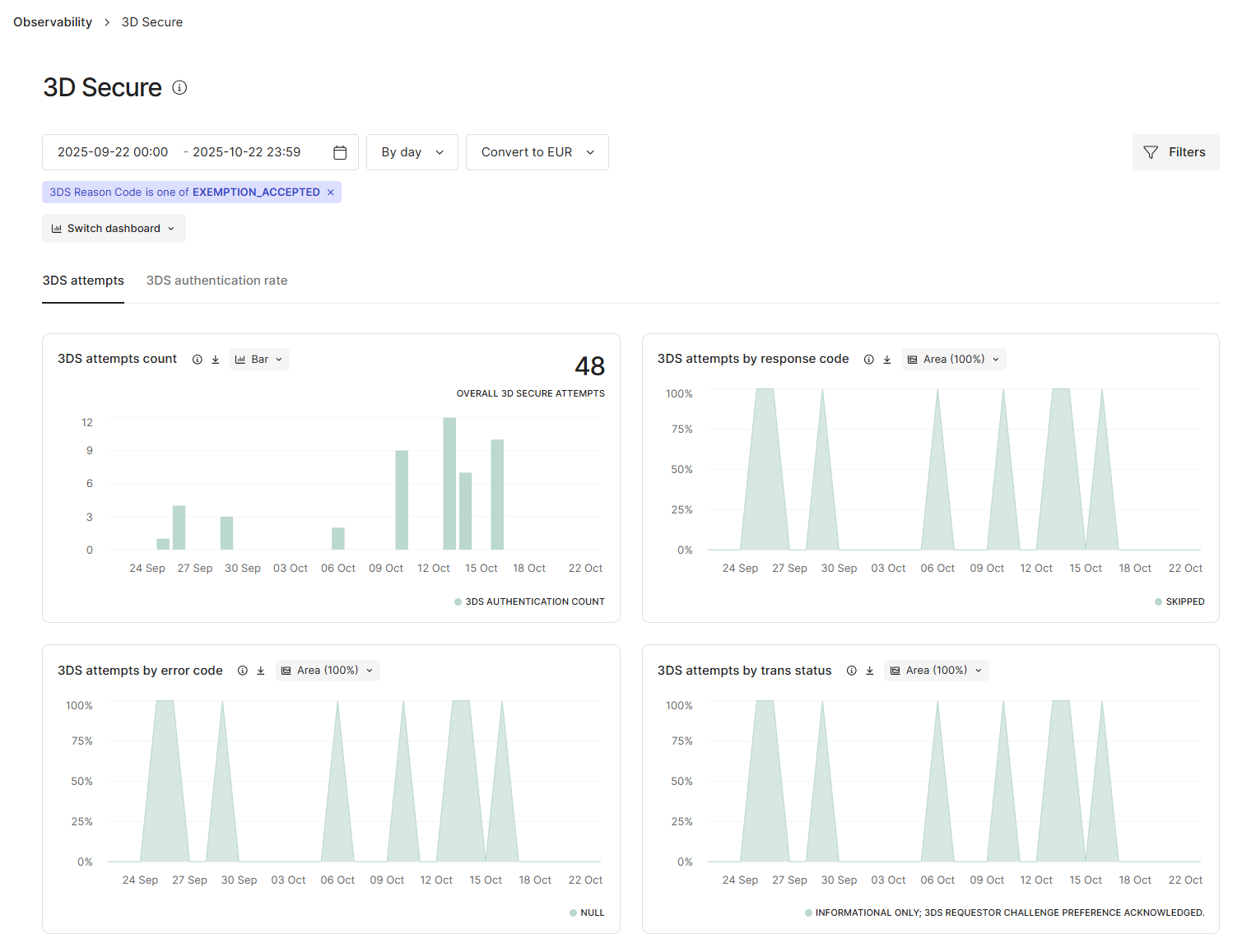
Filtering for Exemptions in Observability
Testing the Exemption Flow
You can test your exemption setup in sandbox using our 3DS test cards. To confirm your Workflow is correctly requesting and handling exemptions:- Configure your “Perform 3DS” action to “Request TRA exemption”.
-
Use a “Manual Challenge” test card for Visa or Mastercard from our 3DS testing cards page.
- When an exemption is requested with this card, it will return an exemption result instead of triggering a 3DS challenge.
- In your Workflow run and payment logs, you’ll see
TRA exemption requestedfollowed byExemption Accepted.
-
Verify that the payment proceeds without a challenge and that your API response includes: