Customer expectations for online payments have never been higher. They expect your checkout to be fast, intuitive, and increasingly invisible.
If it isn’t, you risk them taking their business elsewhere.
Report after report highlights how a clunky or unreliable payment experience frustrates users, hurts your revenue, erodes trust, and pushes customers to competitors.
But delivering a seamless payment experience is more complicated than ever. The payments landscape keeps evolving: more regulations, more fraud risks, and a growing maze of providers, tools, and customer preferences across markets.
If you’re a merchant, you may be grappling with:
- High cart abandonment at checkout
- Low authorization rates from declines and failed payments
- Friction from 3DS
- Fragmented data that obscures what’s working and what’s not
In this article, we’ll unpack what makes a payment experience good (or bad) and share four high-impact strategies for improving yours.
Looking for a payment solution that empowers you to improve your payment experience without requiring engineering resources? Book a call to find out more about Primer
Why a good payment experience is so important
Customers don’t have patience for a clunky checkout.
Roughly 70% of customer carts are abandoned at some point during the checkout process. That number rises by 5-10 percentage points for those using a tablet or mobile device.
All those lost sales result in an estimated $111-136 billion in lost ecommerce revenue in the US alone, mostly from preventable issues at checkout.
Improving your payment experience could increase your conversion rates by over 35% and boost customer satisfaction.
What makes a bad payment experience
Before we discuss improving the payment experience, it’s worth looking at what a bad payment experience actually looks like.
As consumers, we’ve all experienced the following:
- Too many steps: An overly complex checkout is one of the top causes of cart abandonment. Streamlining the process, for example by autofilling personal information, can increase conversion rates by as much as 45%.
- Unfamiliar payment methods: Two out of three customers say they’ll abandon their purchase if they can’t use their preferred payment method. Similarly, a cluttered checkout that makes it hard to find their preferred method can also lead them to quit before purchasing.
- Declined or failed payments: 42% of customers don’t make a second attempt when a payment fails. Some may switch to a competitor on the spot.
For merchants, the consequences of a poor payment experience include lost revenue and declining customer trust and retention.
On the other hand, a great experience does more than drive conversions: it helps free up operational resources. Friction leads to support tickets, refund requests, and higher card scheme fees. A cleaner flow reduces costs and gives your team time back.
Read more about the consequences of a poor payment experience: How to reduce cart abandonment
4 ways to improve your payment experience
We get it. The time and resources involved in improving your payment experience can feel daunting.
But it doesn’t have to be. Let’s run through a few expert tips on improving your payment experience and how you can use Primer to do it.
1. Optimize your checkout:
There are a few crucial aspects to optimizing your checkout:
- Offer a solid guest checkout: Many customers change their minds about a purchase the moment they’re asked to create account account. Offering a guest checkout option could bring back as many as 26% of your customers.
- Accept relevant payment options: Offering the right payment methods, like local payment methods based on customer preferences in regions like the US, APAC, Europe, and MENA, can lead to a significant sales lift. Offering alternative payment methods like Buy Now, Pay Later (BNPL) can also drive revenue. Of course, digital wallets like Apple Pay are becoming ubiquitous, especially among younger customers.
- Don’t redirect customers off your site: Keeping customers on your site in an embedded checkout reduces friction and puts you in control of the customer journey. You control the context and increase trust with your own branding.
The challenge
Of course, all of this comes at a cost: engineering resources. Especially when you're expanding into new markets or trying to support niche or local methods.
Supporting a new APM isn’t just a plug-and-play task.
You’ll typically need to:
- Research whether the payment method can be integrated directly or only via a PSP
- Decide whether to go direct or through a PSP, often a tough call that involves lengthy commercial negotiations, KYC and onboarding processes, ROI analysis, and engineering estimate to scope both routes.
- Integrate the solution, which usually means onboarding with the APM or PSP that supports it, creating and configuring your merchant account, implementing APIs/SDKs, and updating your checkout flows.
Multiply this by every market and every APM you want to support, and you’re looking at weeks or months of work, often with different PSPs, tools, and data models.
The solution
Primer removes the technical integration from the equation. You can integrate with global, local, and alternative payment methods in just a few clicks, with no additional dev work required. This makes it significantly easier to add alternative payment methods to your payment stack.

Primer gives you control over your customers’ payment experience with Checkout. You can choose which payment methods to present to which customers (for example, displaying PayNow only to customers with a Singaporean IP address, or only showing Klarna for orders over a certain value).

You can also experiment with the order in which payment methods are displayed so you can show customers the most relevant payment methods first.
Finally, Primer lets you localize your checkout language and accept and display payment information in relevant currencies.
2. Set up cascading payments
Cascading payments refers to automatically retrying a declined or failed payment attempt with a backup payment processor. That’s a big deal, considering 42% of customers abandon their cart after a failed payment attempt
When you implement cascading payments, the customer never finds out their payment was declined and never has to reattempt the payment. From their point of view, the payment just works.
The challenge
Implementing cascading payments can be difficult in-house. Your developers have to build complex logic to handle different decline codes from each processor and determine how to route each transaction.
It gets trickier with 3DS. If you’re managing retries manually, each PSP might require a separate authentication, meaning a customer could be asked to complete a 3DS challenge more than once. That’s confusing and frustrating, and often leads to more drop-off.
The solution
Primer Fallbacks lets you set up cascading payments with just a few clicks and no code. And because Primer 3DS is processor agnostic, we can use the same challenge results for every subsequent payment attempt. That means your customer never has to repeat an authentication when a fallback is triggered. It all happens behind the scenes, so all they see is their payment going through.

Read more: How to recover lost revenue with cascading payments
3. Use agnostic 3DS to reduce customer friction
3DS helps prevent fraud by verifying the cardholder’s identity before a transaction is approved. In Europe, 3DS prevents over €900 million in fraud annually. But when implemented poorly, it can add friction to the checkout process.
The challenge
Most 3DS solutions are bundled with a PSP or acquirer, meaning you have limited control over when and how it’s applied. This can make optimizing for conversion or experimenting with different strategies harder.
The solution
Primer 3DS allows merchants to set their rules once in our no-code Workflow and apply them seamlessly across all their PSPs. This empowers merchants to go deeper by allowing them to set conditions based on BIN, region, issuing bank, and more. This flexibility enables them to truly tailor their 3DS strategy.
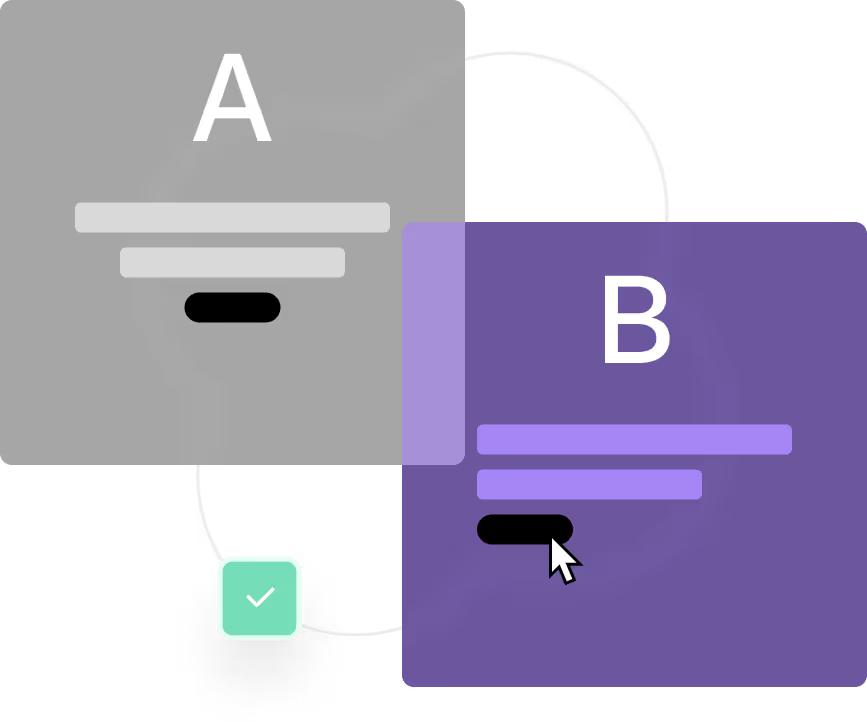
4. Analyze your data and conduct A/B tests
To optimize your payment strategy, you need complete visibility into your transaction data across every payment method and provider. You need to know what’s working, what’s not, and where to focus your efforts.
Once you have that data, you need to test. As a payment team, it’s also important to constantly test and experiment to ensure you’re giving your customers the best possible payment experience.
The challenge
Siloed or fragmented payment data can make understanding what’s leading to a poor payment experience challenging. With data stored across multiple processor dashboards in different formats, optimizing your payment experience is complex.
You need complete visibility into all your payment data to understand why customers are abandoning their carts or what types of payments are declining. You also need an easy way to unify this data and format it for side-by-side comparison.
The solution
Primer Observability doesn’t just show you what’s happening; it helps you test, learn, and continuously improve your payment stack.
With unified visibility across all payment methods and processors, you can easily identify friction points and performance gaps. But the real value comes from what you do next.
Using our Split Utility, you can run controlled experiments directly in your payment flows. For example:
- Compare processors to see which offers higher authorization rates in a specific region
- Test fallback strategies to recover failed payments with minimal disruption
- A/B test 3DS flows, only applying authentication to high-risk transactions
- Evaluate checkout changes, like adding trust markers or rearranging payment methods
All of this is tracked in Primer’s Observability dashboards, which have over 100 customizable visualizations. These dashboards allow you to measure performance across key metrics like conversion, success rates, and drop-off points.
And when something goes wrong, Primer Monitors alert you in real time via email, Slack, or webhook, so your team can jump in before customers are impacted.
From subtle UX tweaks to major infrastructure decisions, Primer gives you the data and tools to experiment confidently and scale what works.
Use Primer to create the optimal payment experience for your customers
Improving your payment experience isn’t just about the look and feel of your checkout. It also comes down to the backend details, like preventing payment failures and keeping authorization rates high.
Book a call now to learn more about Primer and how we can help you offer your customers a better payment experience
%20(1).png)