
Primer Vault app
Use this app to pass card details to a PCI compliant endpoint using the “Send card details” action. To do so you have to pass in a Primer token, configure the endpoint, and provide a payload with specific placeholders.Setting up the action
The “Send card details” action currently supports the following inputs:Card expiry
Because third-parties handle expiration dates differently, you can send in a custom string with month & year and primer will update the values appropriately based on the format selected. An example to send in card expiry could be:JSON
CVV data
Keep in mind that the card CVV is only stored for a maximum of 15 minutes. If you need the CVV to be forwarded to a PCI compliant endpoint, you need to create a workflow that is triggered within that time period.Action outputs
On success, the action will return the following fields as outputs:Use cases
There are different reasons as to why card details from a token need to be shared, such as within the travel industry. To forward card details like card number, cardholder name, and expiry date to a PCI compliant endpoint, you have multiple options within workflows:Custom flow via web request trigger
The web request received trigger allows you to send in a custom JSON payload to manually start a workflow based on your own logic. We recommend sending in a payload like this:JSON
useCase field to branch to send different payloads to different partners.
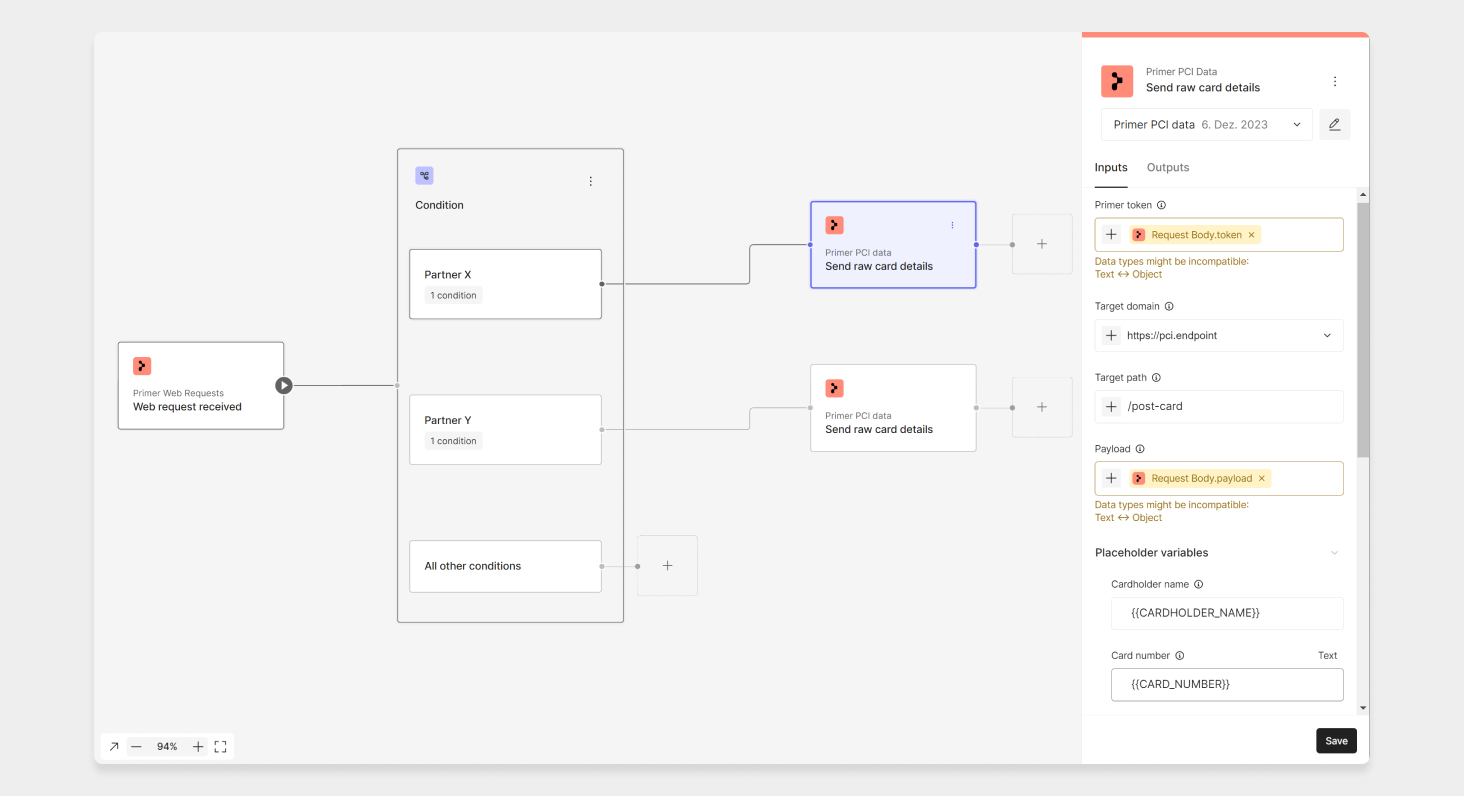
Send card details via web request app
As part of a payment flow
If you know that the card details need to be shared as part of a payment journey, you could also set up a dedicated workflow, by using either the payment status updated trigger or the authorize action. If you create a condition on the status , then you could add the “send card details” action of the Primer Vault app. Note that you would need to share the required payload within the metadata of the payment request.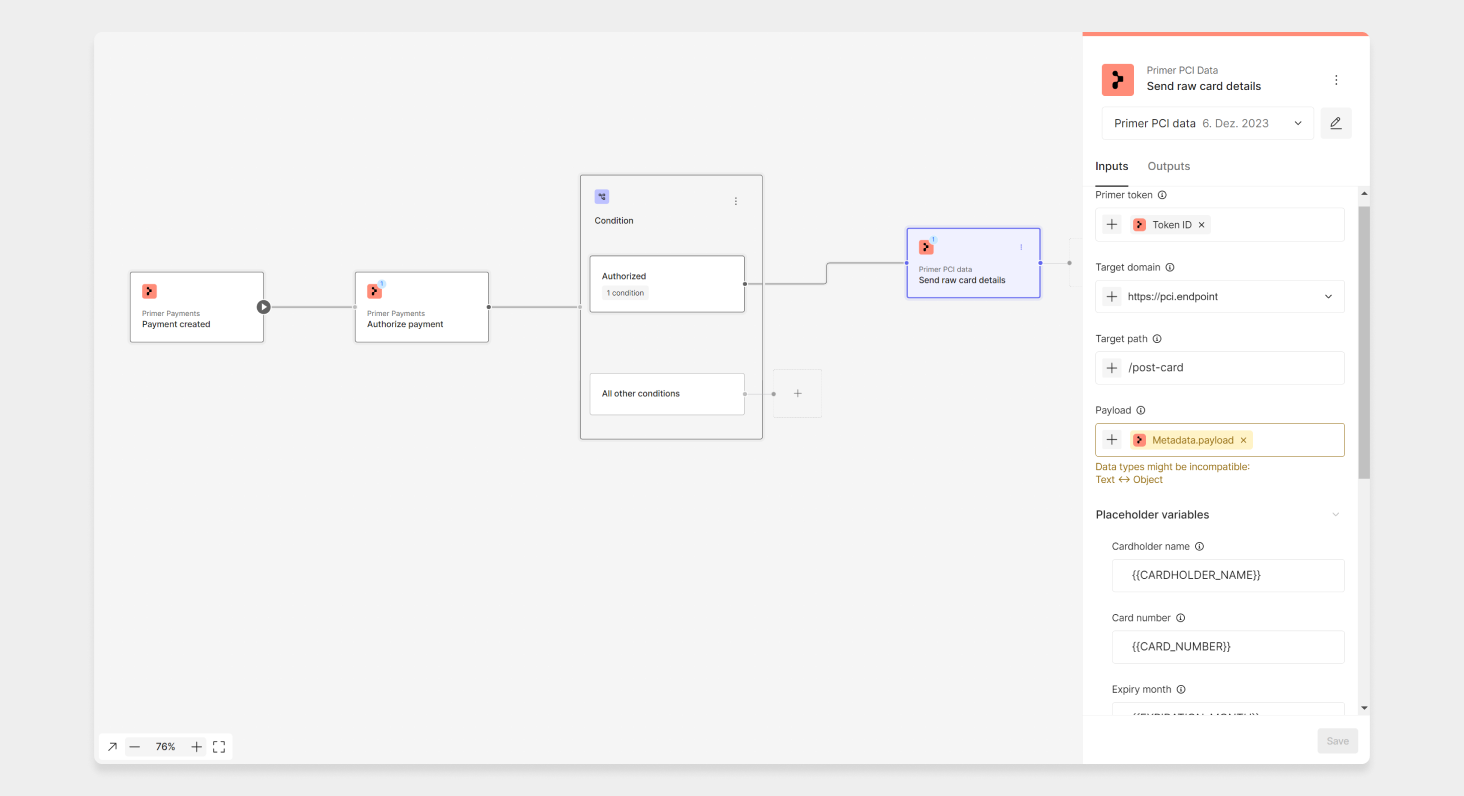
Send card details via payment app