
This feature is not available on all Primer accounts. Contact your Customer Success Manager to receive access.
What is Primer Vault
Primer Vault stores your customers’ cards for you and keeps card data off your servers, so you stay out of PCI scope. You keep your own PSPs and your own payment logic. When you want Primer to process a payment, it is one call away, with the same checkout and the same card.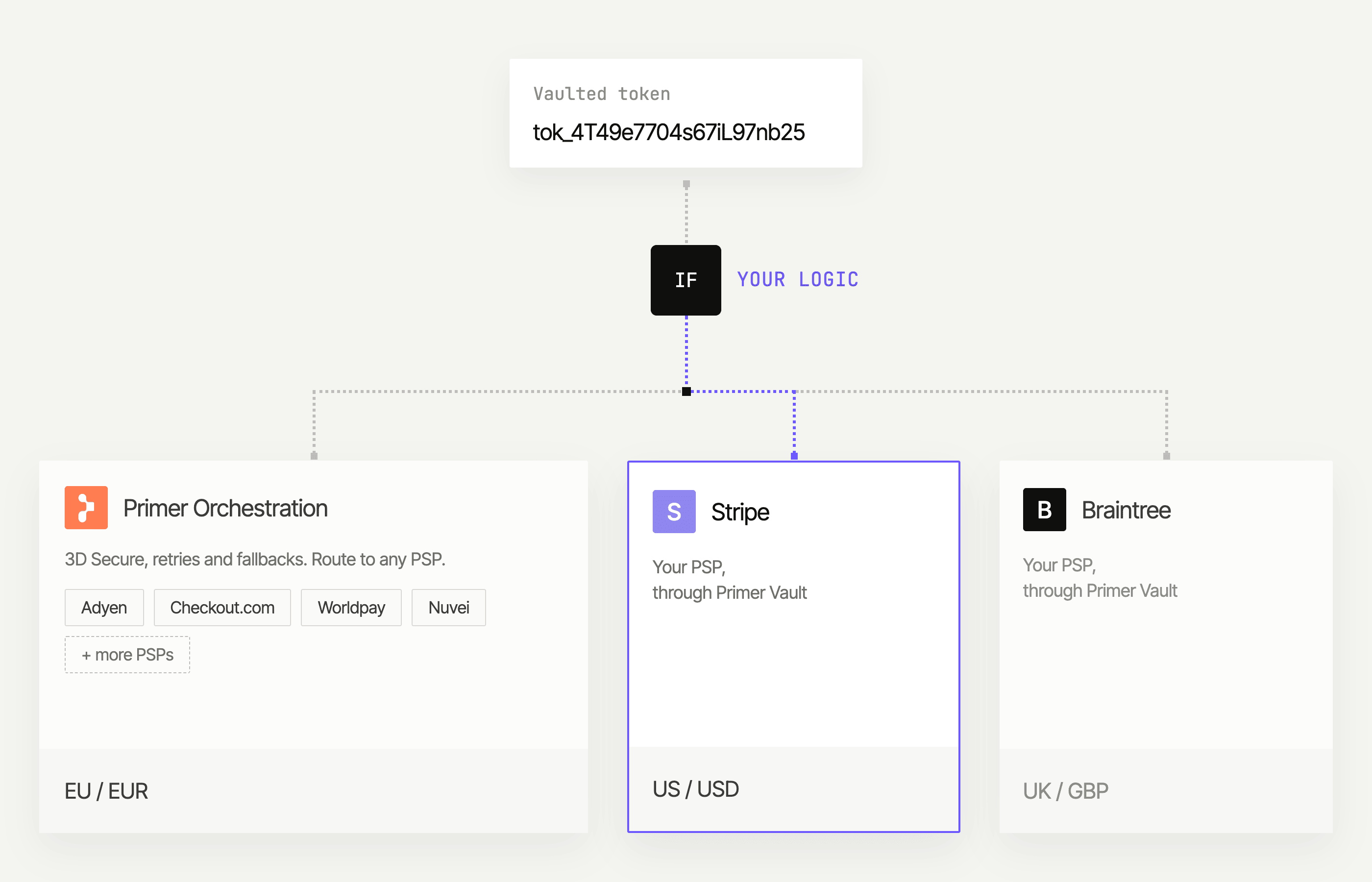
Who is it for
You want a vault and keep your own PSPs
You have PSP integrations and routing logic that work, and you want to keep them. You want Primer to store the cards and take card data off your hands.
You use Primer and want control over some payments
Primer already processes your payments. For some of them, for example one market or one card type, you want to go straight to your own PSP.
You decide for each payment
After your customer clicks Pay, your backend decides where the payment goes. It can send it to Primer, which processes it with 3D Secure, retries, and fallbacks. Or it can send it to your own PSP through Primer Vault. It is the same checkout, the same session, and the same saved card either way. You can mix both in the same checkout. Sending a payment to Primer instead of your PSP means approving the payment instead of sending the request through the proxy. It is not a new integration.What you get
- A card form from Primer Checkout, so card data never reaches your page or your servers.
- Your own PSP request, sent through Primer Vault with the card details filled in for you. The PSP’s answer comes back to you as it is.
- Saved cards for returning customers and recurring payments.
- A way to move to Primer orchestration at your own pace.
The proxy that sends your requests to your PSP runs as its own service, on its own host, separate from the Primer API. However reliable each one is, a problem with Primer’s payment processing does not affect proxied payments.
Grow at your own pace
- Start with your own PSP. Every payment goes to your PSP through Primer Vault. Primer stores the cards. You keep everything else as it is today.
- Send some payments to Primer. Connect a processor in Primer, then choose a share of your traffic, one country, one card type, or a new market. Compare the results with your own PSP.
- Move everything to Primer. When you are ready, send every payment to Primer, with the processors and workflows you set up in Primer.
Next steps
Get started
One-time setup, environments, sandbox testing, and your first payment end to end.
During the payment
Create the session, capture the card, decide where the payment goes, and report the outcome.
After the payment
Save and reuse cards, charge a saved card without the customer, and move traffic to Primer.
Reference
Proxy headers and placeholders, errors and retries, attempt states, and limitations.