> ## Documentation Index
> Fetch the complete documentation index at: https://primer.io/docs/llms.txt
> Use this file to discover all available pages before exploring further.
# Workflow Utilities
export const HorizontalColorCard = ({img, title, color, href, linkText = 'Read More', children}) => {
const cardClassName = `horizontal_card horizontal_color_card ${color || ""}`.trim();
return
{img &&

}
;
};
In addition to Triggers and Actions provided by Workflow Apps you can also make use of Utilities to automate even more use cases.
In addition to Triggers and Actions provided by Workflow Apps you can also make use of Utilities to automate even more use cases.
## Conditions
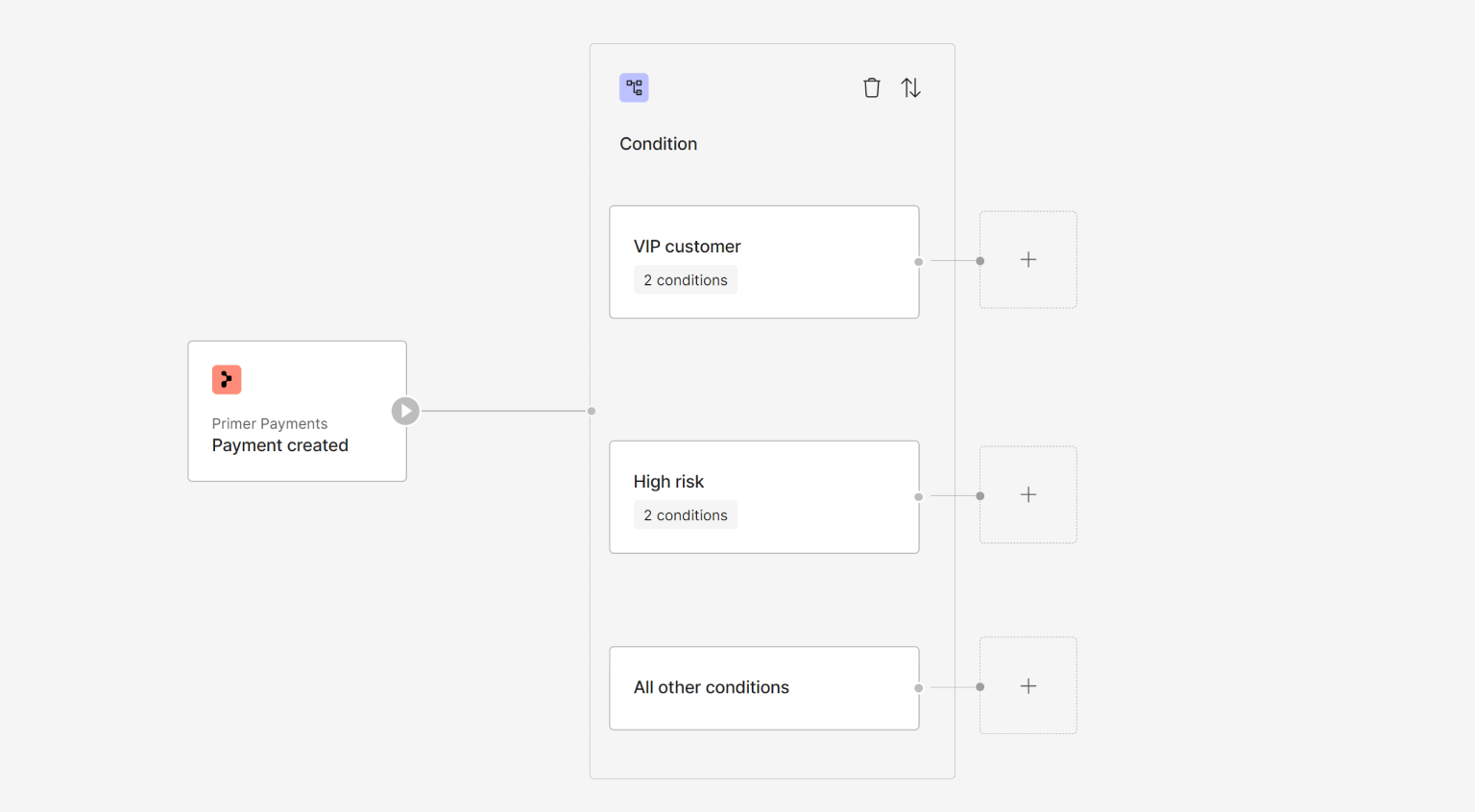
Conditions allow you to branch a workflow into multiple routes based on logic using values from previous blocks. This enables you to put a lot of intricate logic into one workflow.
Read more about the [Conditions Utility](/docs/workflows/utilities/conditions-block).
 ## Split
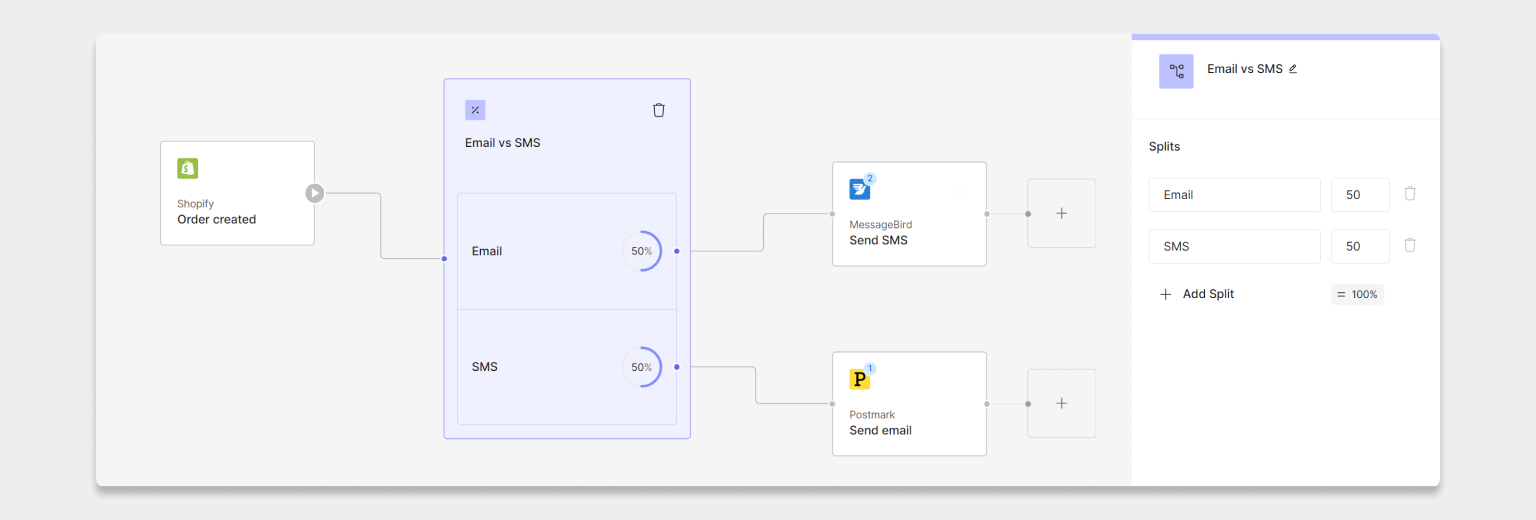
Use this if you want to create branches based on **percentage-based distribution**, rather than logic.
Read more about the [Split Utility](/docs/workflows/utilities/split).
## Split
Use this if you want to create branches based on **percentage-based distribution**, rather than logic.
Read more about the [Split Utility](/docs/workflows/utilities/split).
 ## Adding more Utilities
Primer will build out the library of Utilities over time based on the use cases that we aim to support and that our customers want to automate. If you have any specific requirements, feel free to [reach out to us](https://primerapi.atlassian.net/servicedesk/customer/portal/11) and let us know, as we are always keen to provide value based on actual use cases.
## Start automating
Now that you know how to use Utilities, you can [create even better workflows](/docs/get-started/create-workflow).
## Adding more Utilities
Primer will build out the library of Utilities over time based on the use cases that we aim to support and that our customers want to automate. If you have any specific requirements, feel free to [reach out to us](https://primerapi.atlassian.net/servicedesk/customer/portal/11) and let us know, as we are always keen to provide value based on actual use cases.
## Start automating
Now that you know how to use Utilities, you can [create even better workflows](/docs/get-started/create-workflow).