> ## Documentation Index
> Fetch the complete documentation index at: https://primer.io/docs/llms.txt
> Use this file to discover all available pages before exploring further.
# Web request received Trigger
This page describes the "Web request received" trigger. To send web requests to an external server from an existing workflow, use the ["Send web request" action](/docs/workflows/apps/native-apps/primer-web-requests-app/send-web-request-action).
The "Web request received" trigger can be used as the starting point for custom workflows. This could be based on your internal logic or based on other services that do not have their own [workflow app](/docs/workflows/apps/overview) yet.
## Setup
When you connect the Primer Web Requests app you get a webhook URL that you can send `JSON` requests to.
## Starting a workflow using this trigger
Any request sent to this URL will start a workflow when a [published workflow](/docs/get-started/create-workflow#publish-your-workflow) using this trigger exists.
## Restrictions
The trigger currently has the following restrictions:
* only valid JSON payloads are supported
* the webhook will return an empty response. Use the ["Send web request" action](/docs/workflows/apps/native-apps/primer-web-requests-app/send-web-request-action) if you want to send data to another system.
## Using the request payload
A `JSON` payload can be passed with the web request, but is optional. If provided, the payload is available as "unstructured data" in the output of the trigger.
An example payload could be the following JSON:
```json JSON theme={"dark"}
{
"customRequestType": "TICKET_WORKFLOW",
"eMail": "test@test.com",
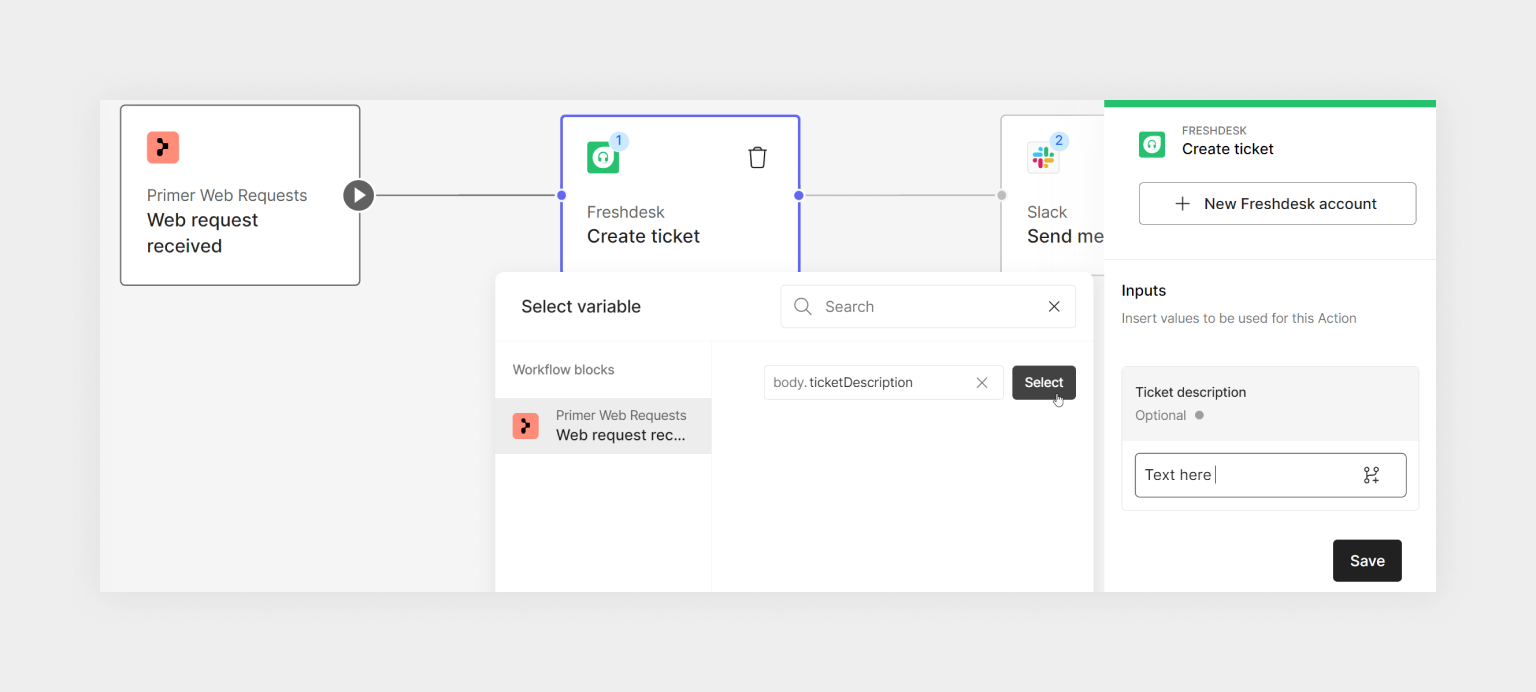
"ticketDescription": "A description to be passed when creating a ticket.",
"ticketTitle": "Title for the new ticket to be created"
}
```
You can pass this data to another workflow block using the variable selector and specifying the **path** to the variable that should be used.
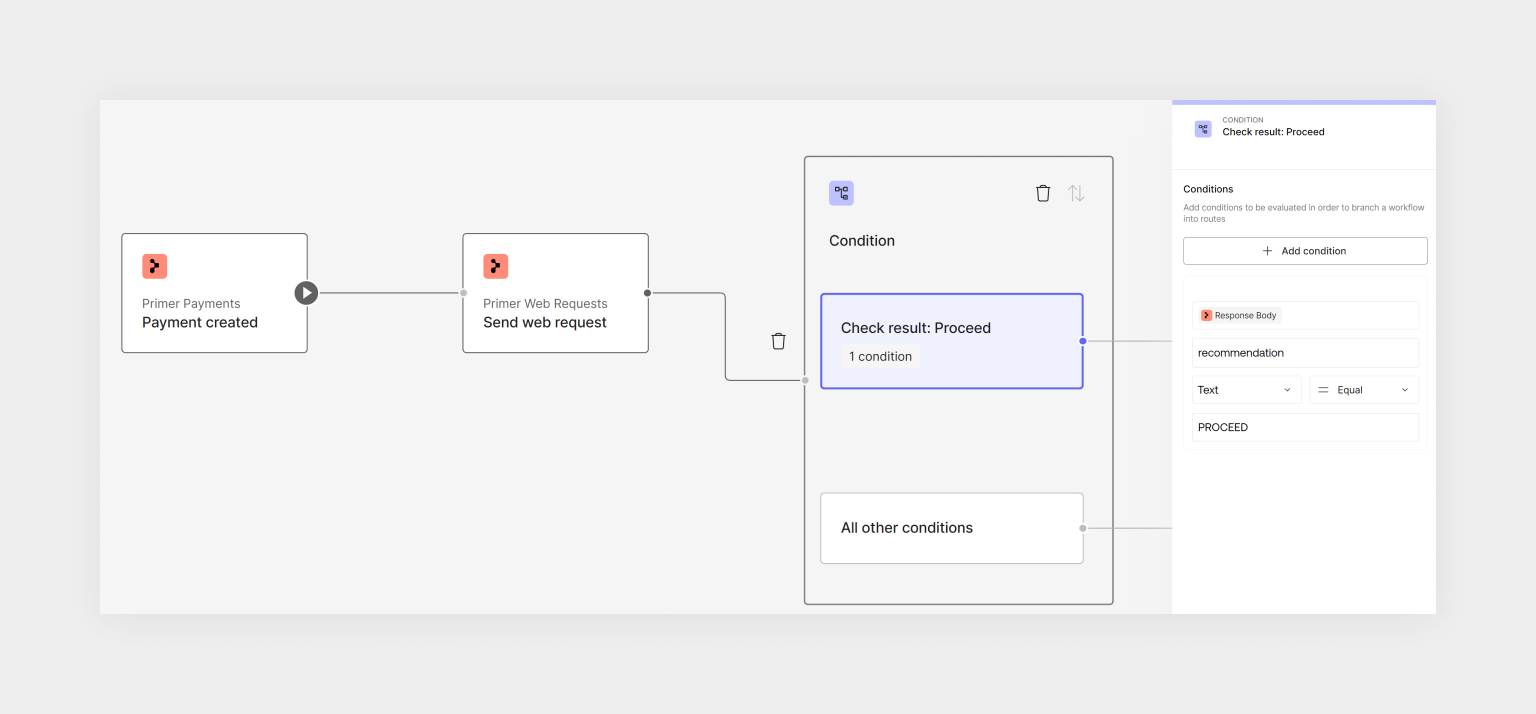
 It is also possible to use that data to build conditions in the same way.
 ### Preventing accidental triggers
You can use [trigger conditions](/docs/workflows/utilities/conditions-block#trigger-conditions-define-when-to-start-a-workflow) to prevent a workflow from being started unless a value defined by yourself is passed through. This could serve as a check for the right payload, or just a custom key that you pass.
In this example, a field called `customRequestType` with the value `TICKET_WORKFLOW` is part of the payload.
### Preventing accidental triggers
You can use [trigger conditions](/docs/workflows/utilities/conditions-block#trigger-conditions-define-when-to-start-a-workflow) to prevent a workflow from being started unless a value defined by yourself is passed through. This could serve as a check for the right payload, or just a custom key that you pass.
In this example, a field called `customRequestType` with the value `TICKET_WORKFLOW` is part of the payload.
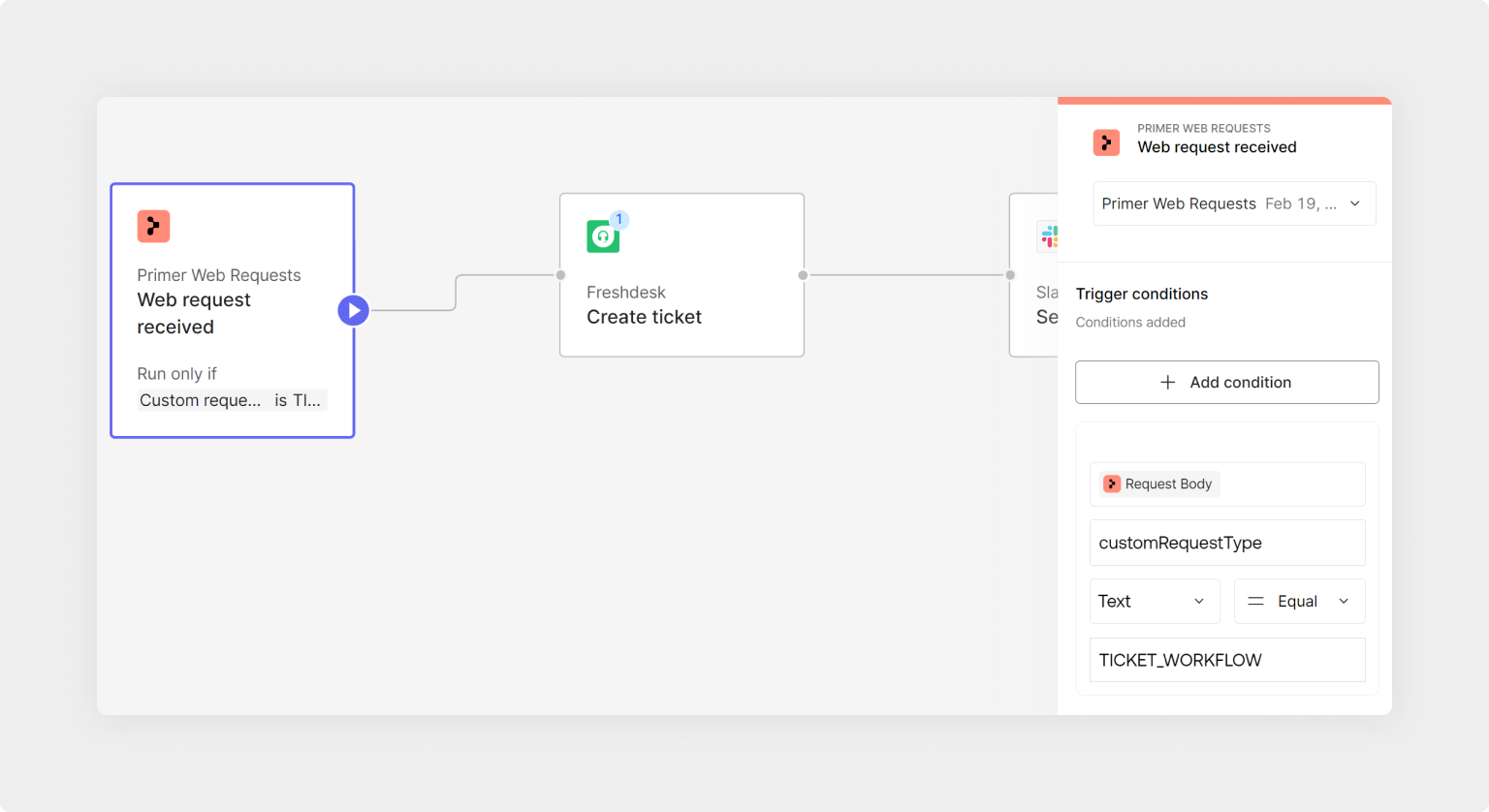 This will only start the workflow if that value is passed, if an empty payload is received, or any other `customRequestType` then no workflow is started.
## Start automating
* Now that you know what can be achieved with this trigger, start [creating a workflow](/docs/get-started/create-workflow).
* Debug received requests or requests sent within the [Workflow Runs](/docs/workflows/monitor-workflows/overview)
This will only start the workflow if that value is passed, if an empty payload is received, or any other `customRequestType` then no workflow is started.
## Start automating
* Now that you know what can be achieved with this trigger, start [creating a workflow](/docs/get-started/create-workflow).
* Debug received requests or requests sent within the [Workflow Runs](/docs/workflows/monitor-workflows/overview)