> ## Documentation Index
> Fetch the complete documentation index at: https://primer.io/docs/llms.txt
> Use this file to discover all available pages before exploring further.
# Decline payment Action
export const TxnTag = ({status}) => {
const getStyles = status => {
const baseStyle = {
display: 'inline-block',
padding: '4px 8px',
borderRadius: '4px',
fontSize: '13px',
fontWeight: '400'
};
switch (status) {
case "PENDING":
return {
...baseStyle,
backgroundColor: '#ececec',
color: '#9f9f9f'
};
case "AUTHORIZED":
return {
...baseStyle,
backgroundColor: '#ecfdf5',
color: '#047857'
};
case "SETTLED":
case "PARTIALLY_SETTLED":
return {
...baseStyle,
backgroundColor: '#ecfdf5',
color: '#047857'
};
case "DECLINED":
case "FAILED":
return {
...baseStyle,
backgroundColor: '#fef2f2',
color: '#dc2626'
};
case "CANCELLED":
return {
...baseStyle,
backgroundColor: '#fefce8',
color: '#d78203'
};
case "SETTLING":
return {
...baseStyle,
backgroundColor: '#e0f2fe',
color: '#0c4a6e'
};
default:
return {
...baseStyle,
backgroundColor: '#f3f4f6',
color: '#374151'
};
}
};
return {status};
};
## What does this Action do?
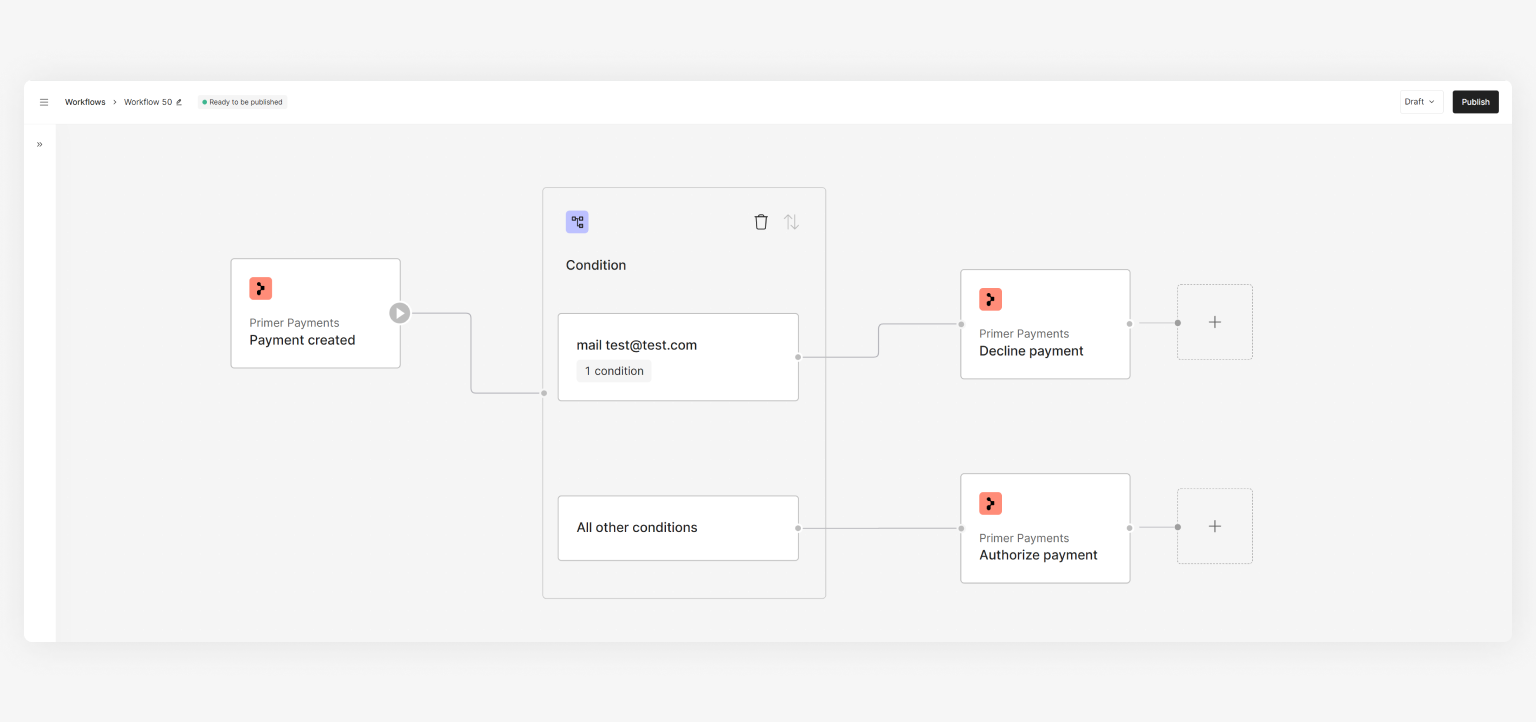
The "Decline payment" Action can be used for overriding the status of a payment to . It enables you to define rules where you wish to decline a payment before its authorization.
 If the payment is not in the state, you will **not** be able to perform a decline.
## How to use the Action
* Assign a `payment ID` - this will usually be the "Payment ID" from the ["Payment created" Trigger](/docs/workflows/apps/native-apps/primer-payments-app/payment-created-trigger) output or ["Payment status updated" Trigger](/docs/workflows/apps/native-apps/primer-payments-app/payment-status-updated-trigger) output
* \[Optional] Set `reason`, which can be used for your own records
## Use cases
Based on your needs, you can utilize this Action in a few ways. Below are some examples for inspiration:
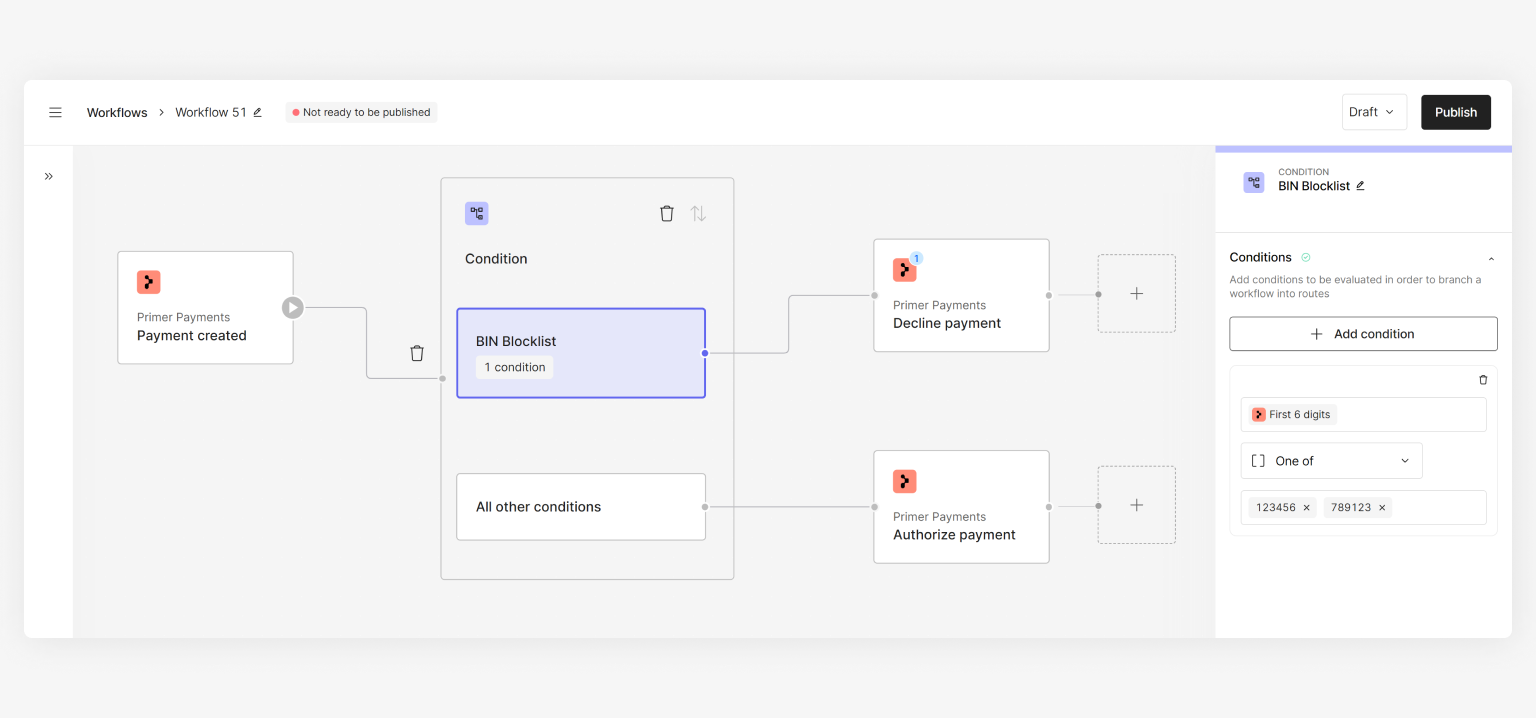
Block payments for a specific BIN range by declining all payments for this set of cards
If the payment is not in the state, you will **not** be able to perform a decline.
## How to use the Action
* Assign a `payment ID` - this will usually be the "Payment ID" from the ["Payment created" Trigger](/docs/workflows/apps/native-apps/primer-payments-app/payment-created-trigger) output or ["Payment status updated" Trigger](/docs/workflows/apps/native-apps/primer-payments-app/payment-status-updated-trigger) output
* \[Optional] Set `reason`, which can be used for your own records
## Use cases
Based on your needs, you can utilize this Action in a few ways. Below are some examples for inspiration:
Block payments for a specific BIN range by declining all payments for this set of cards