> ## Documentation Index
> Fetch the complete documentation index at: https://primer.io/docs/llms.txt
> Use this file to discover all available pages before exploring further.
# Cancel payment Action
## What does this Action do?
The "Cancel payment" Action is responsible for sending the cancel request. It enables you to define rules where you wish to automatically cancel a payment after its authorization.
Learn more about canceling payments [here](/docs/manage-payments/cancel-payment).
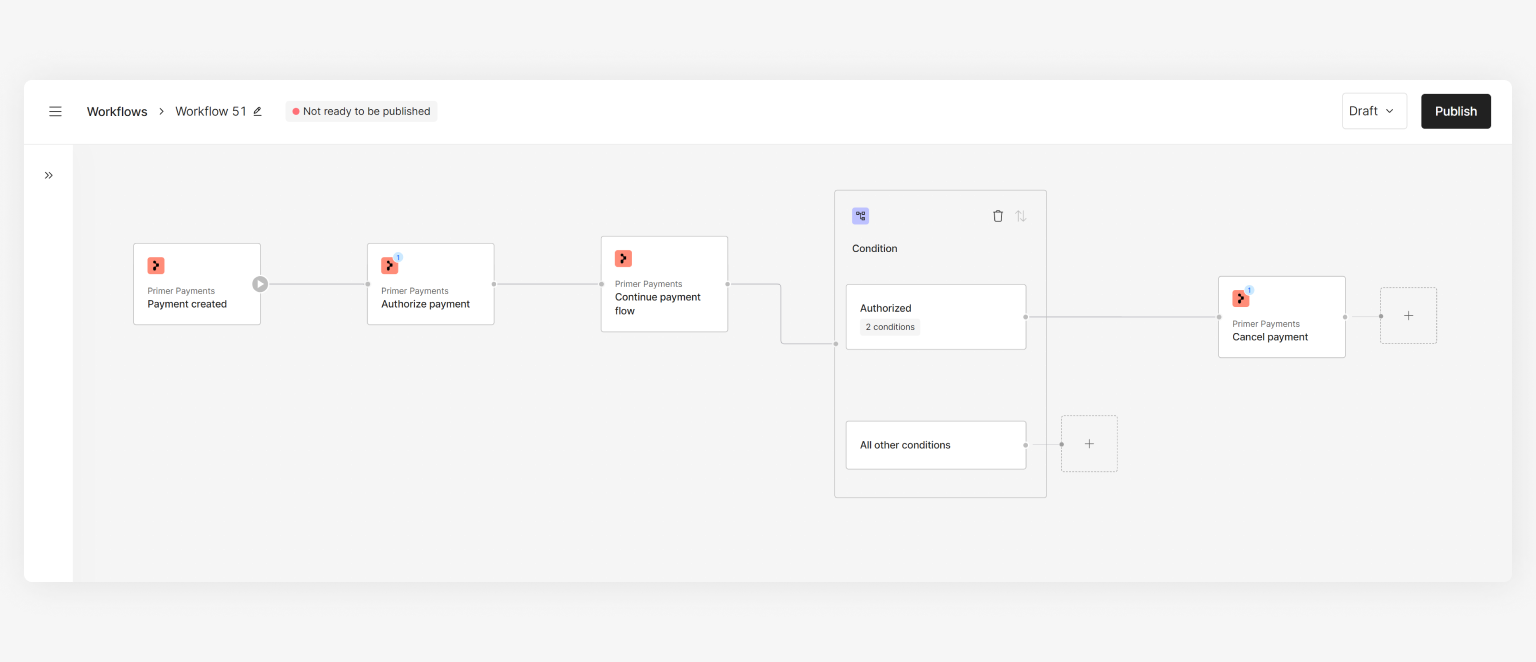 In order to cancel a payment, the payment must **not** have reached SETTLED status.
## How to use the Action
* Assign a `payment ID` - this will usually be the "Payment ID" from the ["Payment created" Trigger](/docs/workflows/apps/native-apps/primer-payments-app/payment-created-trigger) output or ["Payment status updated" Trigger](/docs/workflows/apps/native-apps/primer-payments-app/payment-status-updated-trigger) output
* \[Optional] Set `reason`, which can be used for your own records
## Use cases
Based on your needs, you can utilize this Action in a few ways. Below is an example for inspiration:
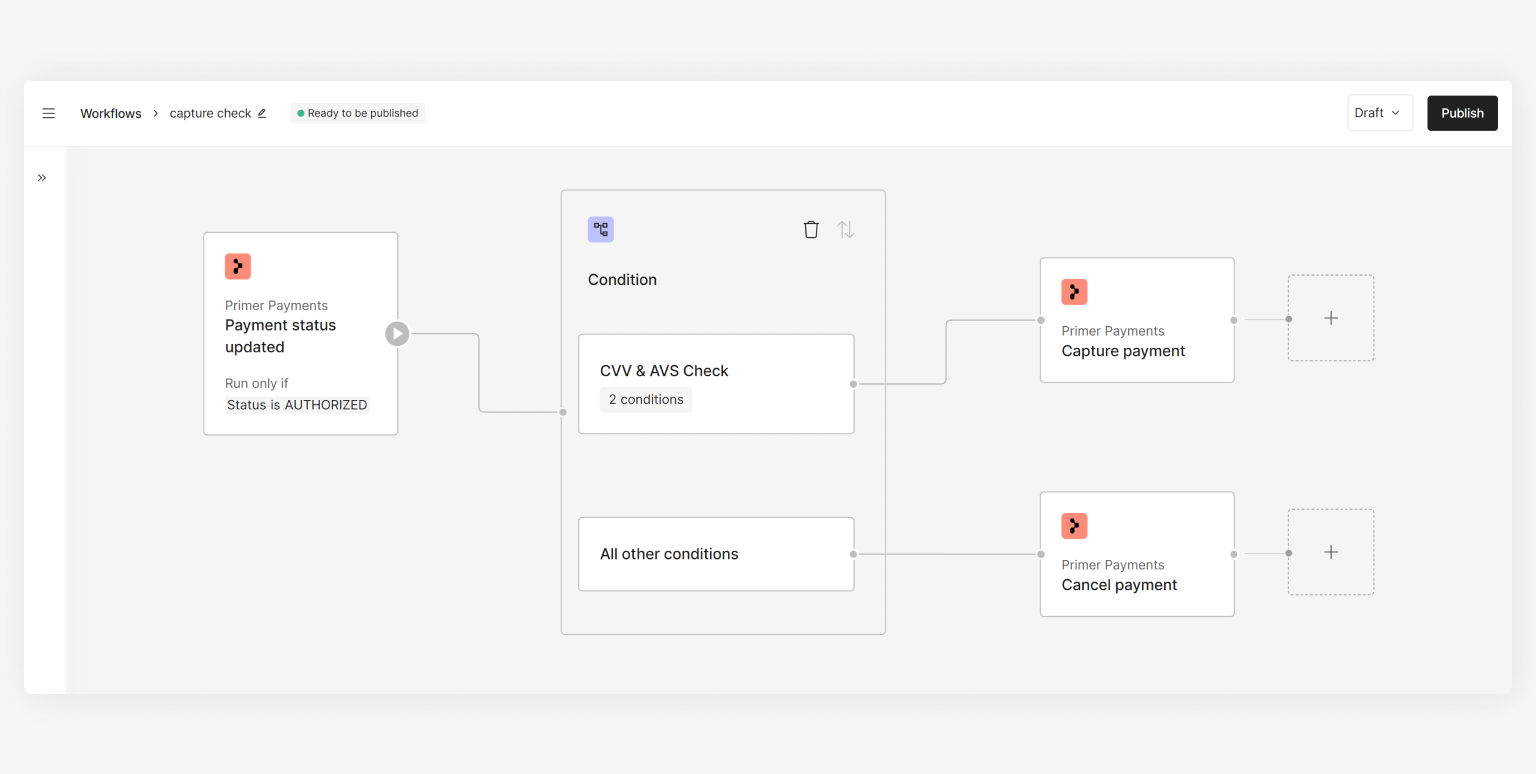
Cancel the payment if it failed the CVV and AVS checks by the processor during authorization.
In order to cancel a payment, the payment must **not** have reached SETTLED status.
## How to use the Action
* Assign a `payment ID` - this will usually be the "Payment ID" from the ["Payment created" Trigger](/docs/workflows/apps/native-apps/primer-payments-app/payment-created-trigger) output or ["Payment status updated" Trigger](/docs/workflows/apps/native-apps/primer-payments-app/payment-status-updated-trigger) output
* \[Optional] Set `reason`, which can be used for your own records
## Use cases
Based on your needs, you can utilize this Action in a few ways. Below is an example for inspiration:
Cancel the payment if it failed the CVV and AVS checks by the processor during authorization.