> ## Documentation Index
> Fetch the complete documentation index at: https://primer.io/docs/llms.txt
> Use this file to discover all available pages before exploring further.
# Send email Action
## Primer Emails app
This app gives you the ability to send yourself or your team an email from within a workflow. This can be used with [Monitors](/docs/monitors/overview) notifications, but could also be used together with the Primer Disputes app, or even with the Primer Payments app and "Payment Status updated" trigger when a single payment fails.
Do note that this action is only intended to send email notifications to yourself, not to your customers. There are no customization options and the email will arrive with a Primer header. If you do want to send emails to your customers, we have dedicated integrations with third-parties like Sendgrid for example.
## Action inputs
The "Send email" action currently supports the following inputs:
| Input | Type | Description |
| ------------------ | -------------- | ------------------------------------------------------------------------------------------------------------------------------------------------------------------------ |
| Subject | text | Email subject. |
| Header | text | The email body can have a different header. |
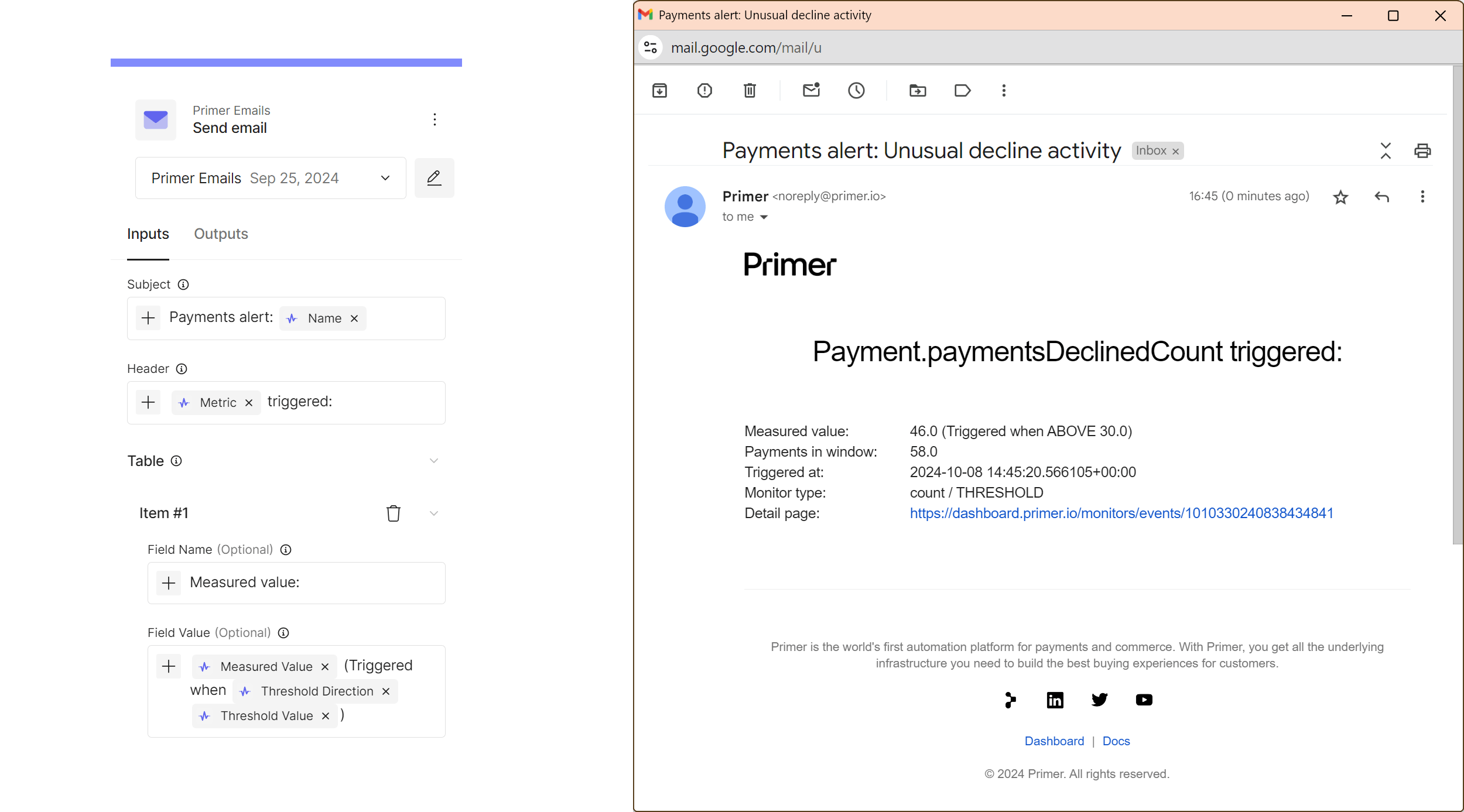
| Email table | list of values | You can manually create a list of fields and values that will be displayed as a table by adding items and setting the "field name" and "field value" fields accordingly. |
| Recipient email(s) | text | One or multiple email addresses an email should be sent to. |
You can't use HTML or change the formatting or sender. Emails will always be sent from *noreply(@)primer.io* and will come with predefined formatting.
Here is an example for an email sent from this action: