> ## Documentation Index
> Fetch the complete documentation index at: https://primer.io/docs/llms.txt
> Use this file to discover all available pages before exploring further.

# Curated dashboards

export const CardWrapper = ({children}) => {
  return <div className="overview_cards_container">
      {children}
    </div>;
};

export const TocCard = ({title, href, img, icon, children}) => {
  const id = title.replace(/([a-z])([A-Z])/g, "$1-$2").replace(/[\s_]+/g, "-").replace(/[^a-zA-Z0-9-]+/g, "").replace(/-+/g, "-").replace(/^-+|-+$/g, "").toLowerCase();
  return <a id={id} href={href} className="card block font-normal group relative my-2 ring-2 ring-transparent rounded-2xl bg-white dark:bg-background-dark border border-gray-950/10 dark:border-white/10 overflow-hidden w-full cursor-pointer hover:!border-primary dark:hover:!border-primary-light">
      {img && <img src={img} alt={title} className="w-full object-cover object-center not-prose" data-component-part="card-image" />}

      <div className="px-6 py-5 relative" data-component-part="card-content-container">
        <div id="card-link-arrow-icon" className="absolute text-gray-400 dark:text-gray-500 group-hover:text-primary dark:group-hover:text-primary-light top-5 right-5 hidden">
          <svg xmlns="http://www.w3.org/2000/svg" width="24" height="24" viewBox="0 0 24 24" fill="none" stroke="currentColor" strokeWidth="2" strokeLinecap="round" strokeLinejoin="round" className="lucide lucide-arrow-up-right w-4 h-4">
            <path d="M7 7h10v10"></path>
            <path d="M7 17 17 7"></path>
          </svg>
        </div>

        {icon && <div className="h-6 w-6 fill-gray-800 dark:fill-gray-100 text-gray-800 dark:text-gray-100" data-component-part="card-icon">
            {icon}
          </div>}

        <div>
          <h2 className={"flex whitespace-pre-wrap group not-prose font-semibold text-base text-gray-800 dark:text-white" + (icon ? " mt-4" : "")} style={{
    letterSpacing: "0.01em"
  }} contentEditable="false" data-component-part="card-title">
            <span className="cursor-pointer">{title}</span>
          </h2>
          <div className="prose mt-1 font-normal text-sm leading-6 text-gray-600 dark:text-gray-400" data-component-part="card-content">
            <p>{children}</p>
          </div>
        </div>
      </div>
    </a>;
};

<Frame caption="Custom dashboards">
  <img src="https://goat-assets.production.core.primer.io/marketing/observability/external-docs/curated-dashboards/curated-dashboards.png" />
</Frame>

<br />

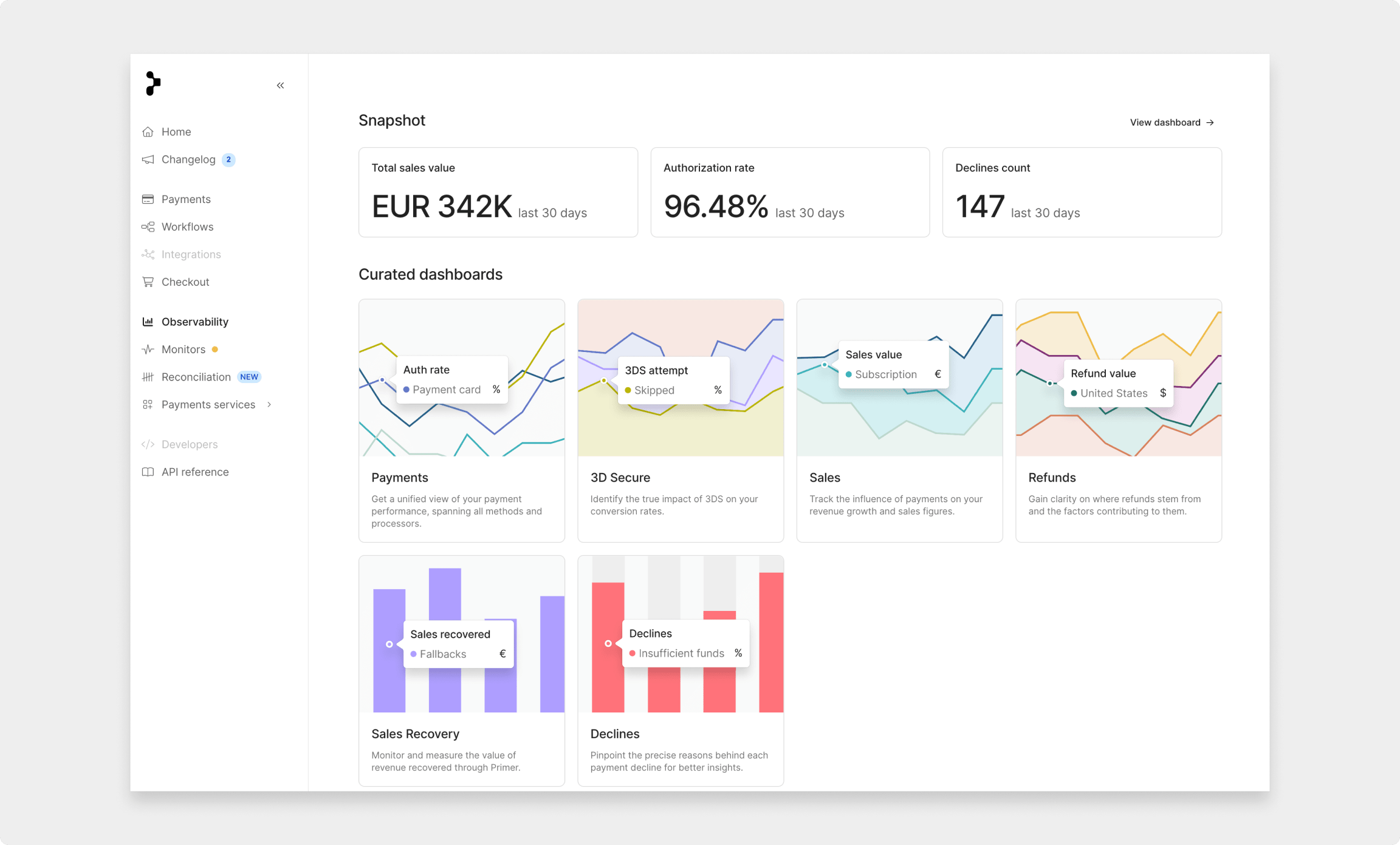
Primer’s curated Dashboards give merchants easy access to all the payment metrics they need to optimize their payments stack effectively. Each dashboard has multiple tabs displaying different metrics and includes multiple charts breaking down the metrics into various dimensions.

<Note>
  Only the Snapshot dashboard is available for all users. All other dashboards are exclusive to **Observability PRO** users.
</Note>

<CardGroup cols={3}>
  <Card title="Snapshot" icon="chart-line" href="/observability/dashboards/snapshot">
    This dashboard is designed to give users a high-level view into each aspect of their payments performance.
  </Card>

  <Card title="Payments" icon="credit-card" href="/observability/dashboards/payments">
    This dashboard is most merchants’ first port of call when looking to analyze payments in granular detail.
  </Card>

  <Card title="Sales" icon="chart-bar" href="/observability/dashboards/sales">
    This dashboard provides insights into key revenue metrics and helps users manage sales effectively.
  </Card>

  <Card title="Refunds" icon="rotate-left" href="/observability/dashboards/refunds">
    This dashboard helps merchants understand the sources of their refunds.
  </Card>

  <Card title="3D Secure" icon="lock" href="/observability/dashboards/3d-secure">
    This dashboard provides users with granular details into their 3D Secure (3DS) payments.
  </Card>

  <Card title="Sales Recovery" icon="life-ring" href="/observability/dashboards/sales-recovery">
    This dashboard showcases the revenue saved by using Primer's native payment services.
  </Card>

  <Card title="Declines" icon="ban" href="/observability/dashboards/declines">
    This dashboard enables merchants to understand payment declines in detail.
  </Card>

  <Card title="Network Tokenization" icon="key" href="/observability/dashboards/network-tokenization">
    This dashboard helps merchants monitor and measure the impact of network tokens created by Primer.
  </Card>
</CardGroup>

## {/* Empty hashtag to make ToC present on the page */}