> ## Documentation Index
> Fetch the complete documentation index at: https://primer.io/docs/llms.txt
> Use this file to discover all available pages before exploring further.
# Monitor notifications
## Monitor Events
Monitor events are triggered when specific conditions are met:
* **Static Monitors**: Events occur when the metric surpasses the predefined threshold, either going **above or below** the desired range.
* **Dynamic Monitors**: Events are generated when the metric value falls **outside of the expected range**, as defined by the dynamic monitor model. This model considers historical data and trends.
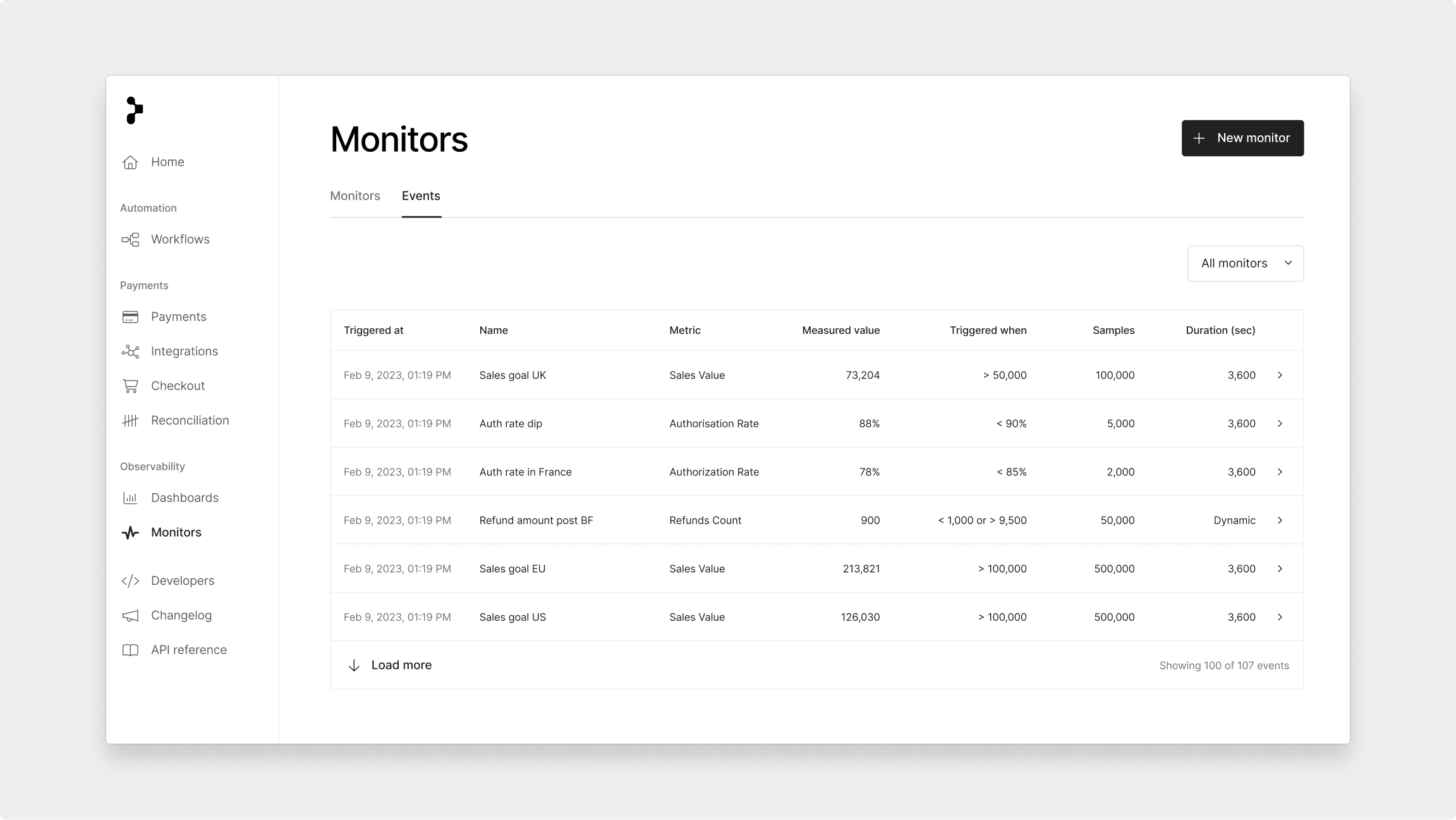
All monitor events can be found in the **event table** within the Monitor section of your dashboard. This table keeps you informed about your payment metrics' status.
Events are displayed in the event table only when the **minimum number of samples** is met. This ensures that events are meaningful and based on a sufficient amount of data.
## Notifications & escalations via Workflows
We have added support for two new Primer native Workflow apps, [Primer Monitors](/docs/workflows/overview) and [Primer Emails](/docs/workflows/overview), so you can build your own custom notification or escalation flows.
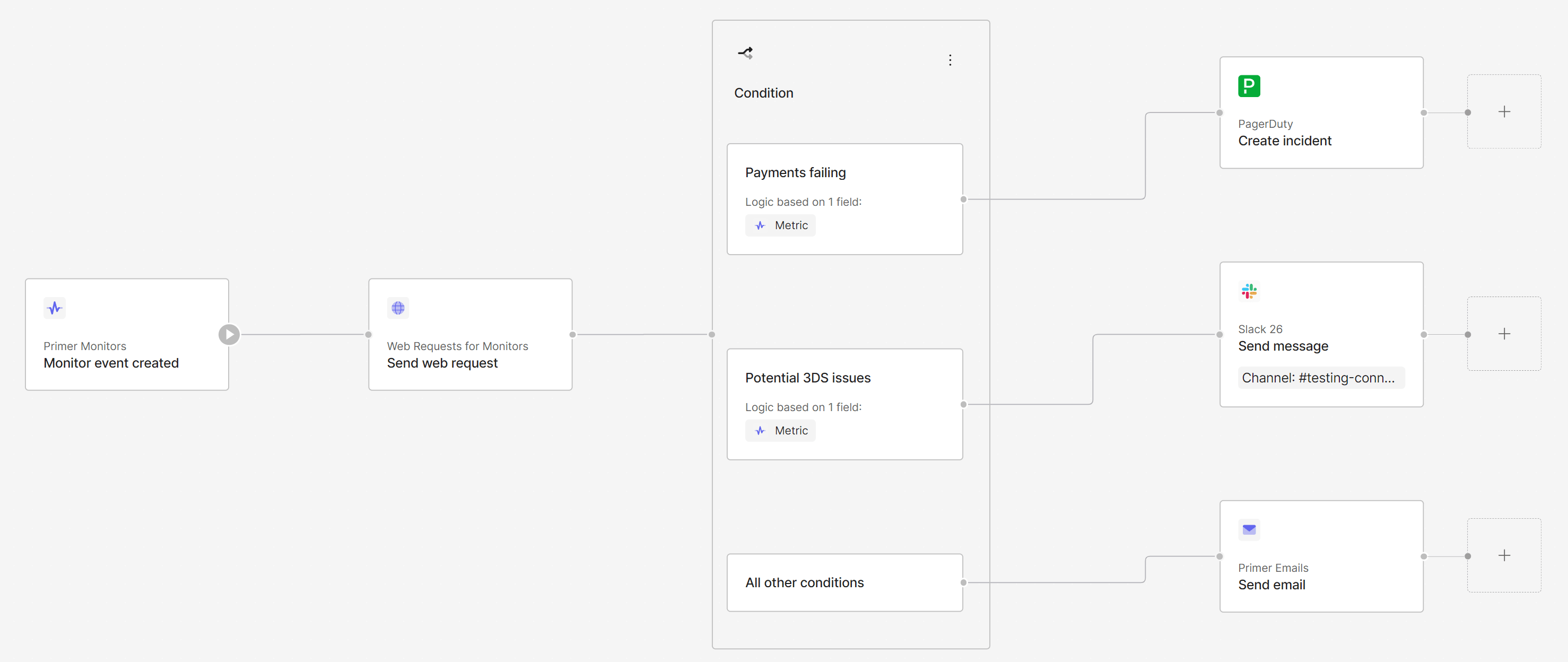
* **Primer Monitors** avail a trigger allowing you to react to new monitor events. Now you have complete control to build your own notification flows however you want - send yourself a web request, a Slack message, an email, or immediately create an incident.
* **Primer Emails** now give you the ability to send yourself an email from within a workflow. This can be used with Monitor notifications, but could also be used together with the Primer Disputes app, or even with the Primer Payments app and ["Payment Status updated" trigger](/docs/workflows/apps/native-apps/primer-payments-app/payment-status-updated-trigger) when a single payment fails\*.
Do note that this action is only intended to send email notifications to
yourself, not to your customers. There are no customization options and the
email will arrive with a Primer header. If you do want to send emails to your
customers, we have dedicated integrations with third-parties like Sendgrid for
example.
### Example flow
Here is an example for a workflow using these new apps: whenever a new monitor event is created, a web request is sent notifying a dedicated endpoint. Afterwards, depending on the metric used, an incident is created via PagerDuty when too many payments start failing, a Slack message is sent when potential 3DS issues are observed, and an email is sent for any other metric. All within one notification flow: